> ## Documentation Index
> Fetch the complete documentation index at: https://rasa.com/docs/llms.txt
> Use this file to discover all available pages before exploring further.
# Version Control in Studio
> Rasa Studio Flow version control
Studio's new versioning feature is designed to enable multiple users to work on an assistant at the same time.
**Flow Version Control** in Studio keeps track of your work as you build and allows you to review your changes, and if necessary, revert to a previous version.
This guide will lead you through Studio's version control features and how to manage your assistant changes with a team.
## View the Flow History
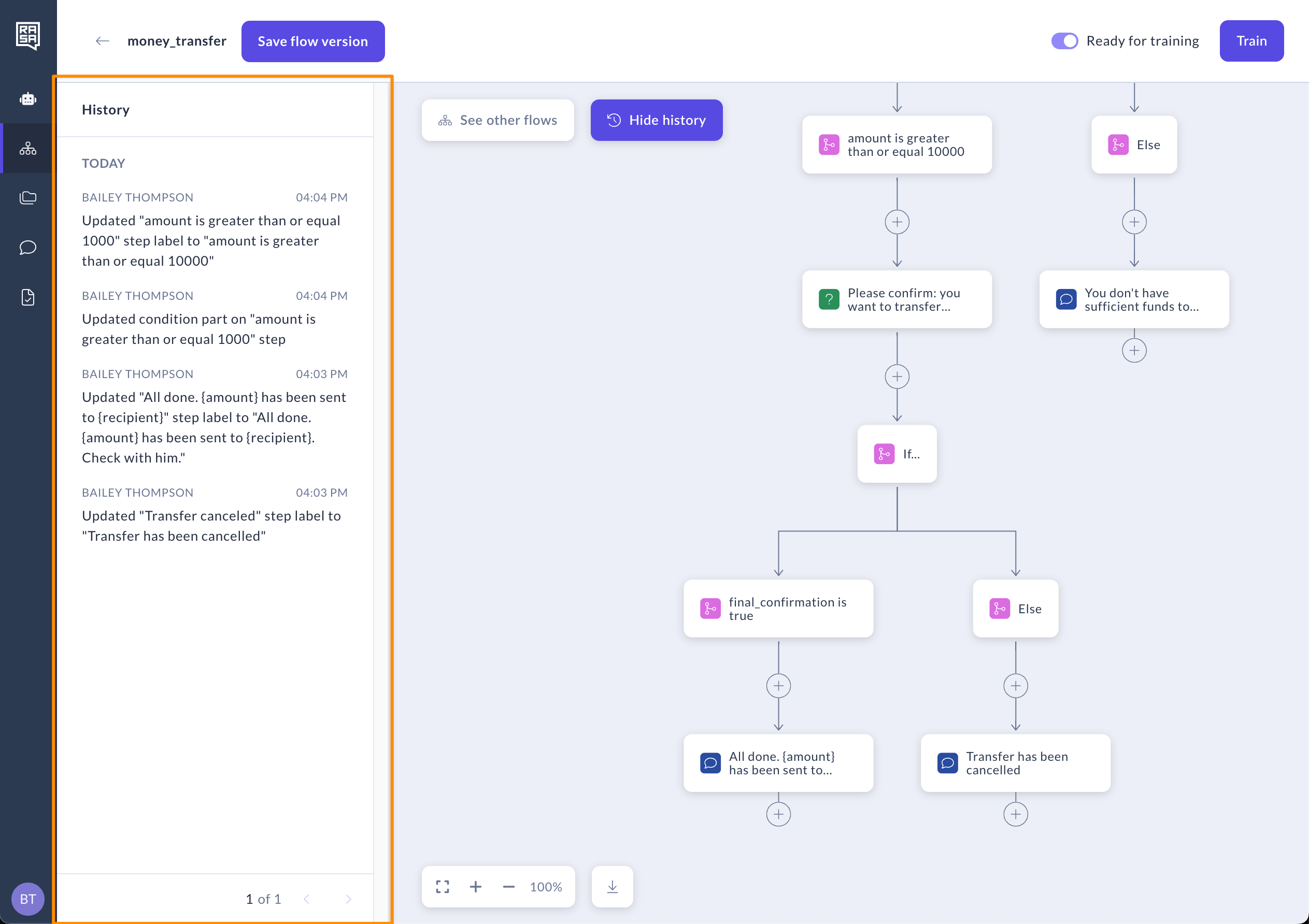
Flow History lets you view all changes made to a flow by any user.
1. Open your flow in Studio.
2. Click the **“History”** button located in the flow editor.
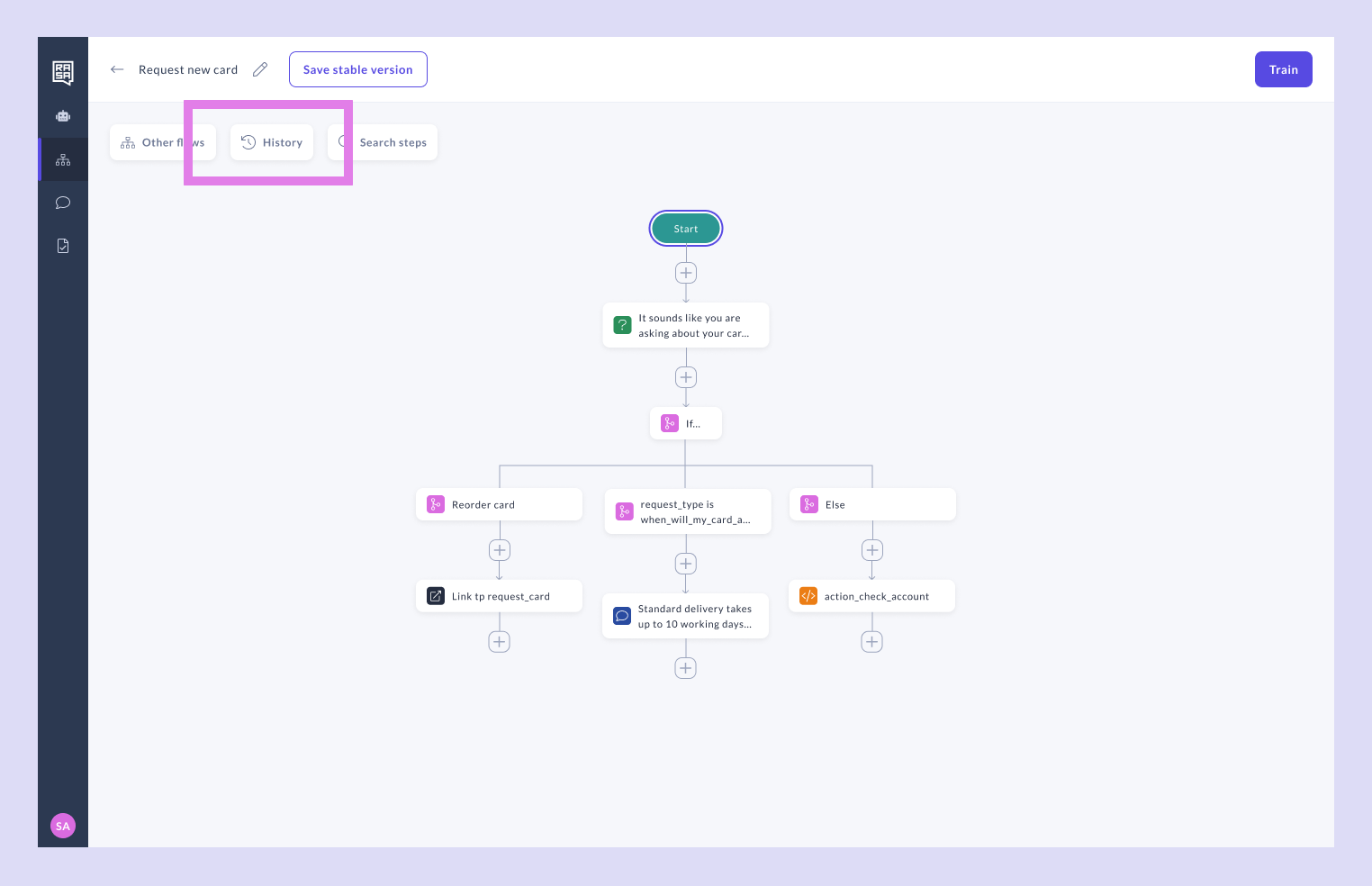 A panel will slide out from the left side of the screen, showing a detailed timeline of changes. This includes edits made by all users, so you always know who did what.
 ## Save a Stable Version
Saving a stable version lets you restore a previous flow if needed. Additionally, it allows you to train your assistant using the last stable version of the flow instead of the current version with the latest changes. This ensures that team members can experiment with updates in the current version without impacting the stability of training and testing for others.
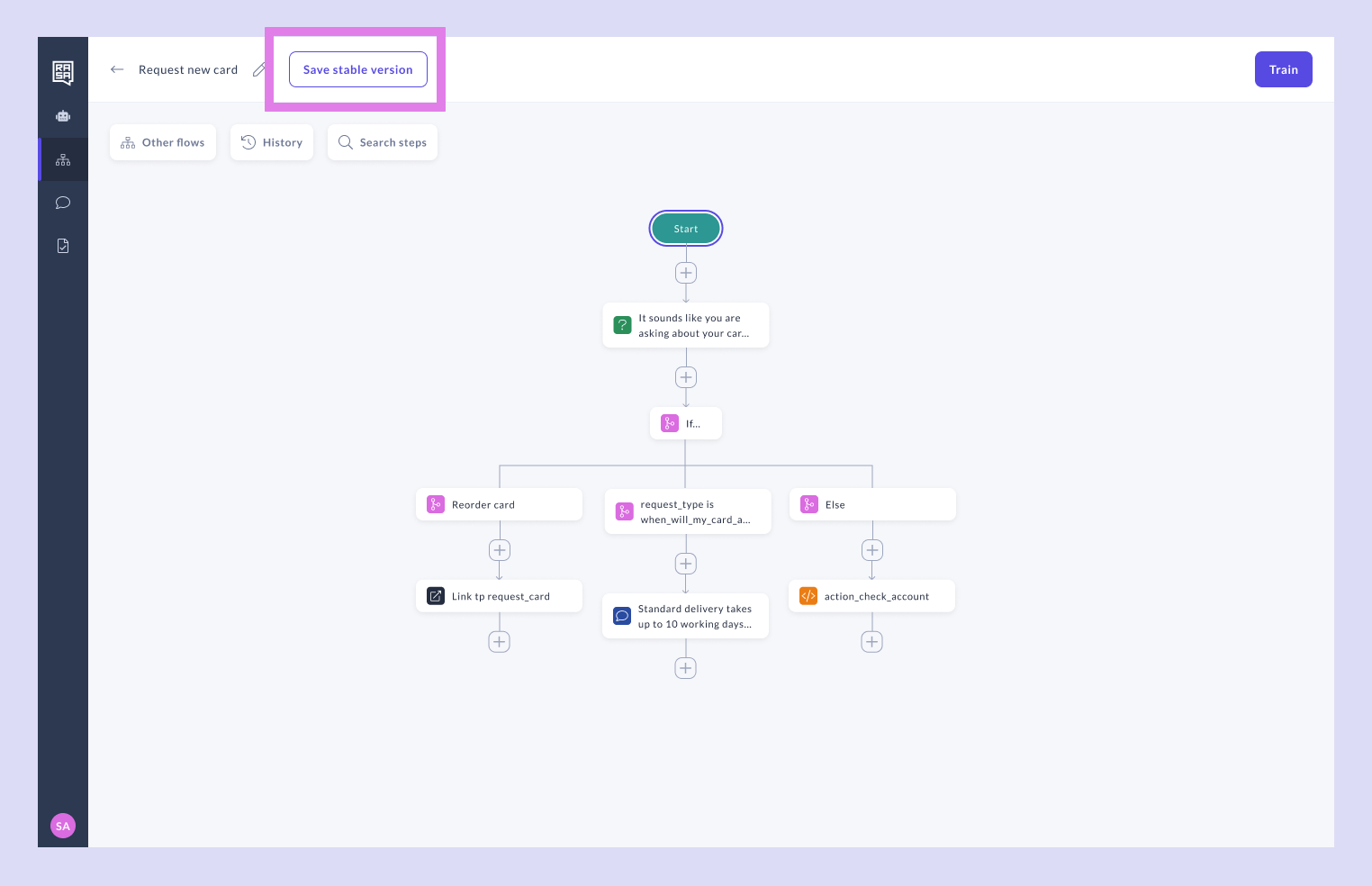
1. Once you have fully tested the flow and confirmed it is working as expected, click the **“Save stable version”** button in the editor.
## Save a Stable Version
Saving a stable version lets you restore a previous flow if needed. Additionally, it allows you to train your assistant using the last stable version of the flow instead of the current version with the latest changes. This ensures that team members can experiment with updates in the current version without impacting the stability of training and testing for others.
1. Once you have fully tested the flow and confirmed it is working as expected, click the **“Save stable version”** button in the editor.
 **✨ Pro Tip ✨** Save a stable version after thoroughly testing your flow so your team can confidently use it for testing. Make sure to save a version before making major changes so you can easily revert to a stable state if needed.
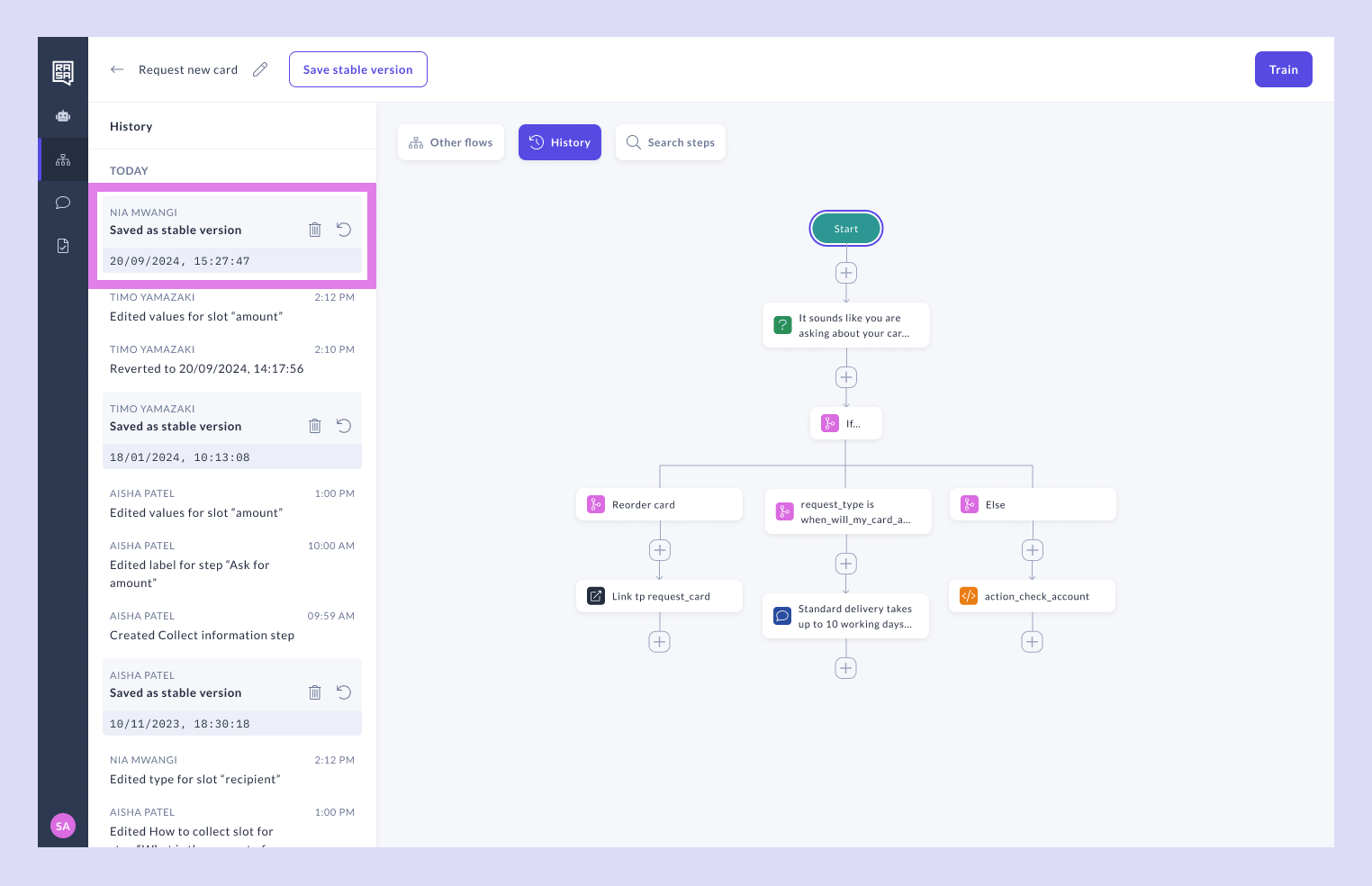
2. Your saved version will appear in the Flow History panel, along with the time, date, and author of the save.
**✨ Pro Tip ✨** Save a stable version after thoroughly testing your flow so your team can confidently use it for testing. Make sure to save a version before making major changes so you can easily revert to a stable state if needed.
2. Your saved version will appear in the Flow History panel, along with the time, date, and author of the save.
 ## Revert to a Previous Version
If something goes wrong or you want to go back to a previous flow setup, reverting is simple.
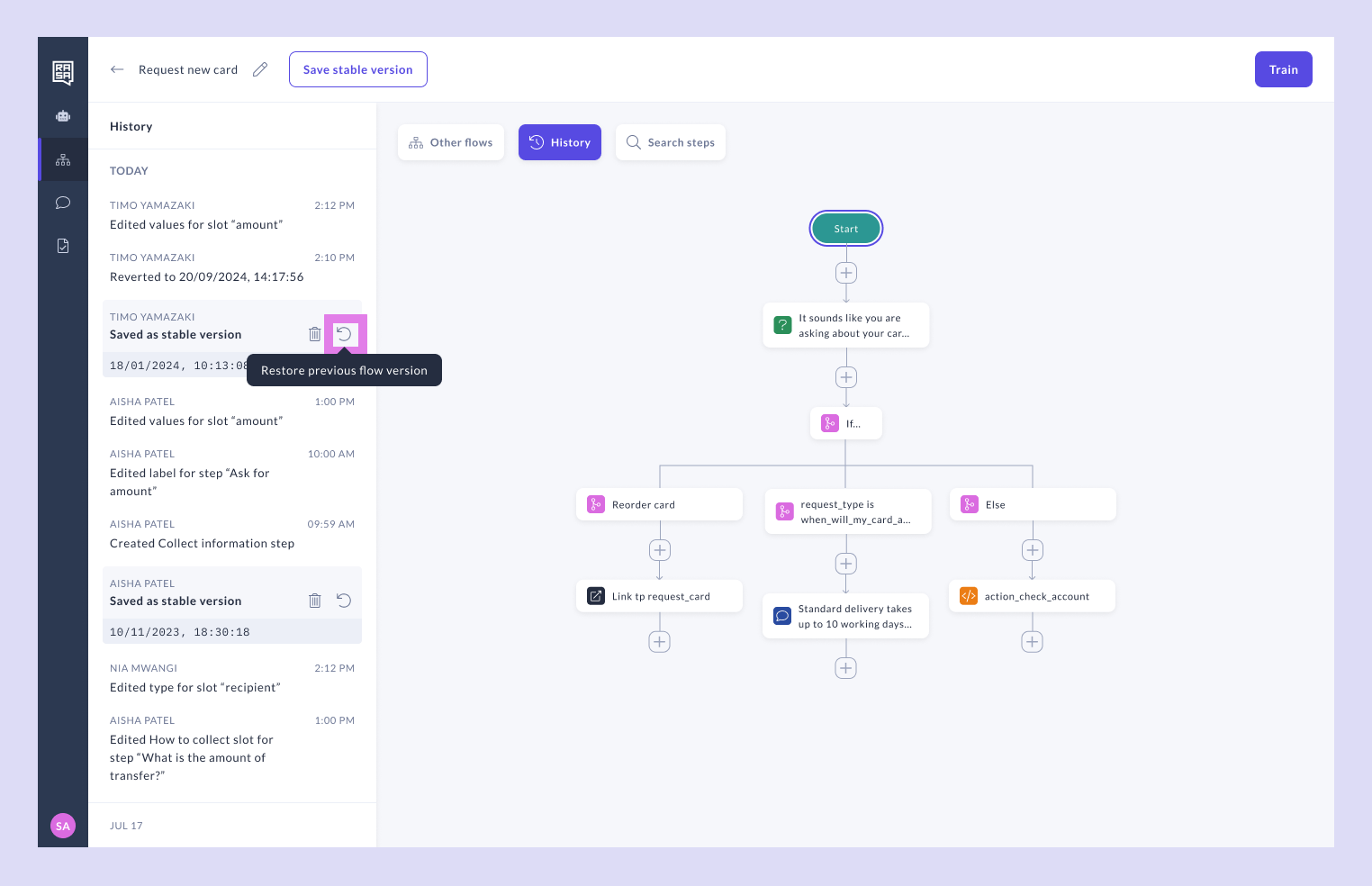
1. In the Flow History panel, locate the version you want to restore.
2. Click the **“Revert”** icon next to that version.
## Revert to a Previous Version
If something goes wrong or you want to go back to a previous flow setup, reverting is simple.
1. In the Flow History panel, locate the version you want to restore.
2. Click the **“Revert”** icon next to that version.
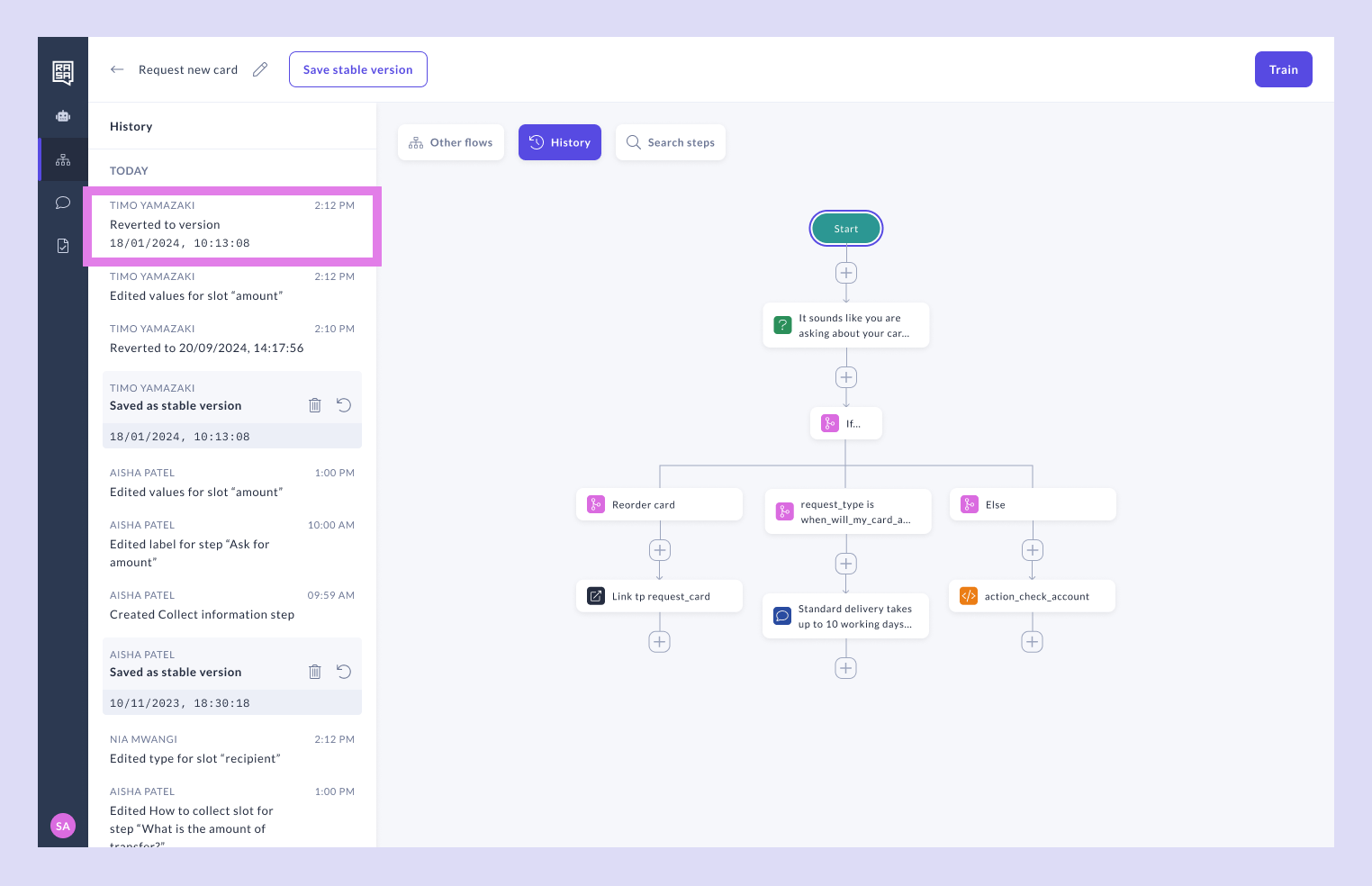
 3. Once reverted, the flow will be restored to the selected version, and a note will appear in the Flow History to track the event.
 ## Related topics
- [Studio Version Migration Guide](/docs/reference/changelogs/studio-version-migration-guide.md)
- [Compatibility Matrix for the Rasa Platform](/docs/reference/changelogs/compatibility-matrix.md)
- [Studio Change Log](/docs/reference/changelogs/studio-changelog.md)
- [Managing Content in Studio](/docs/studio/build/content-management/introduction.md)
- [Studio Architecture](/docs/reference/architecture/studio.md)
This documentation is built and hosted on [Mintlify](https://mintlify.com), a developer documentation platform.
## Related topics
- [Studio Version Migration Guide](/docs/reference/changelogs/studio-version-migration-guide.md)
- [Compatibility Matrix for the Rasa Platform](/docs/reference/changelogs/compatibility-matrix.md)
- [Studio Change Log](/docs/reference/changelogs/studio-changelog.md)
- [Managing Content in Studio](/docs/studio/build/content-management/introduction.md)
- [Studio Architecture](/docs/reference/architecture/studio.md)
This documentation is built and hosted on [Mintlify](https://mintlify.com), a developer documentation platform.