> ## Documentation Index
> Fetch the complete documentation index at: https://rasa.com/docs/llms.txt
> Use this file to discover all available pages before exploring further.
# Introduction to Flows
> Rasa Studio Flow Introduction
In Rasa, the business logic of your AI assistant is implemented as a set of **Flows**.
Each flow describes the logical steps your AI assistant uses to complete a task.
It describes the information you need from the user, data you need to retrieve from an API or a database, and branching logic based on the information collected.
**Learn More**
If you're **new to flows** or want to dive deeper into the concepts behind **Business Logic** in Rasa you can [read more in our guide](/docs/learn/concepts/dialogue-management).
## Flows in Studio
Studio's **Flow Builder** offers a visual, node-based interface with steps designed to help you quickly iterate on the logic in your assistant.
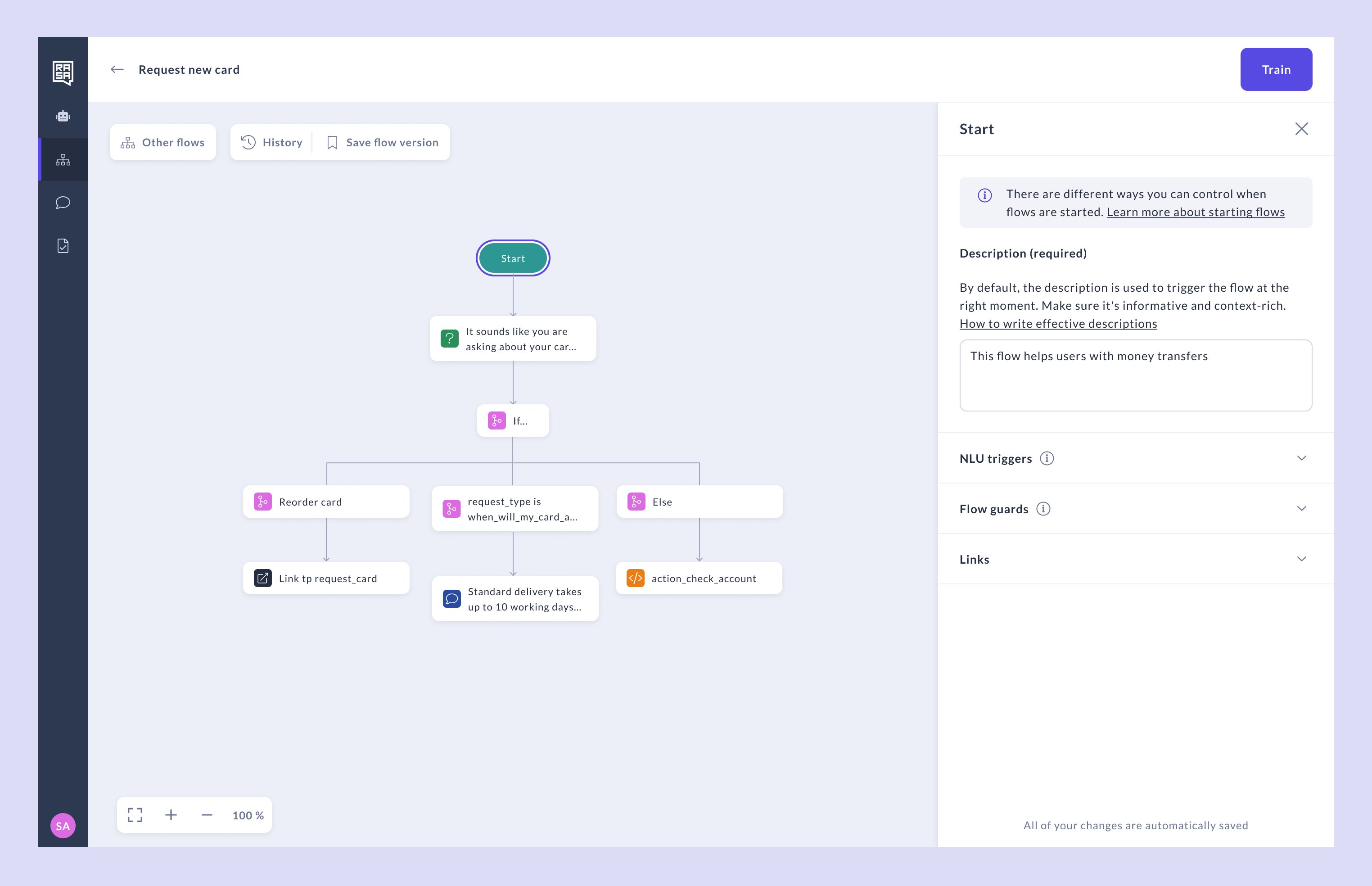 Each flow consists of steps that define the assistant's responses and actions.
In the following sections, you'll learn how to use these steps effectively and how they work together to create seamless conversational experiences.
## Related topics
- [Introduction](/docs/studio/test/introduction.md)
- [Introduction to Actions](/docs/studio/build/actions/introduction.md)
- [Introduction to the Rasa Platform](/docs/learn/platform-introduction.md)
- [Introduction to Rasa Action Server](/docs/reference/integrations/action-server/introduction.md)
- [Flow Builder — Best Practices](/docs/studio/build/flow-building/best-practices.md)
Each flow consists of steps that define the assistant's responses and actions.
In the following sections, you'll learn how to use these steps effectively and how they work together to create seamless conversational experiences.
## Related topics
- [Introduction](/docs/studio/test/introduction.md)
- [Introduction to Actions](/docs/studio/build/actions/introduction.md)
- [Introduction to the Rasa Platform](/docs/learn/platform-introduction.md)
- [Introduction to Rasa Action Server](/docs/reference/integrations/action-server/introduction.md)
- [Flow Builder — Best Practices](/docs/studio/build/flow-building/best-practices.md)