Google Dialogflow has moved through several product generations: API.AI, Dialogflow ES, Dialogflow CX, Vertex AI Agent Builder, and now Google’s newer Conversational Agents console.
That matters because Dialogflow is no longer only a visual flow builder. The current direction brings together deterministic flows, generative playbooks, data stores, generators, and broader Google Cloud agent infrastructure. For teams already standardized on Google Cloud, that can be a strong path.
The tradeoff is dependency. Dialogflow is still built around Google’s cloud, console, pricing model, voice services, data store approach, and release workflow. Enterprise teams start looking for alternatives when they need more control over deployment, model and provider choice, voice architecture, governance, auditability, or the way agents are built and released by their own technical teams.
This guide compares 10 Dialogflow alternatives for enterprise conversational AI in 2026 across deployment flexibility, pricing predictability, Google Cloud independence, governance, voice readiness, and total cost of ownership.
Each platform is scored on the same weighted criteria, so CIO, CTO, IT leadership, and contact center architects can match their actual buying constraints to the right alternative, whether the requirement is regulated-industry self-hosting, voice-first contact center automation, multilingual global CX, no-code design teams, or fast knowledge deployment.
What Dialogflow Alternatives Are There? Competitor Comparison and Ratings Chart
10 Best Dialogflow Alternatives for Enterprise Conversational AI in 2026
The alternatives below are organized by the buying constraint that drives the evaluation: regulated enterprise governance, Google Cloud independence, voice-first contact center automation, global multilingual CX, no-code design teams, security and technical control, and fast knowledge deployment.
Each category is filtered against the specific Dialogflow limitations that drove the alternatives search in the first place.
#1. Rasa: Best Dialogflow Alternative for Regulated Enterprise Self-Hosted Deployment
Rasa is the developer platform for enterprise AI agents.
Dialogflow is a strong fit for teams already committed to Google Cloud. It gives teams a managed console, visual flow design, generative playbooks, data stores, Google speech services, and tight integration with the broader Google Cloud stack.
Rasa is the better fit when the agent needs to become part of the company’s own software operation: deployed in the customer’s environment, connected to internal systems, governed through engineering workflows, and improved over time by technical teams.
Best for engineering organizations in regulated industries such as BFSI, healthcare, government, insurance, and telco that need self-hosted, private-cloud, or air-gapped deployment, clear ownership of the agent stack, and tighter control over how agents are built, released, monitored, and changed.
Score: 9.4/10. Highest marks for governance (10/10), deployment flexibility (10/10), voice (10/10), and pricing transparency (9/10).
Scored lower on out-of-the-box multilingual breadth (7/10) vs. Dialogflow CX's 30+ language coverage.
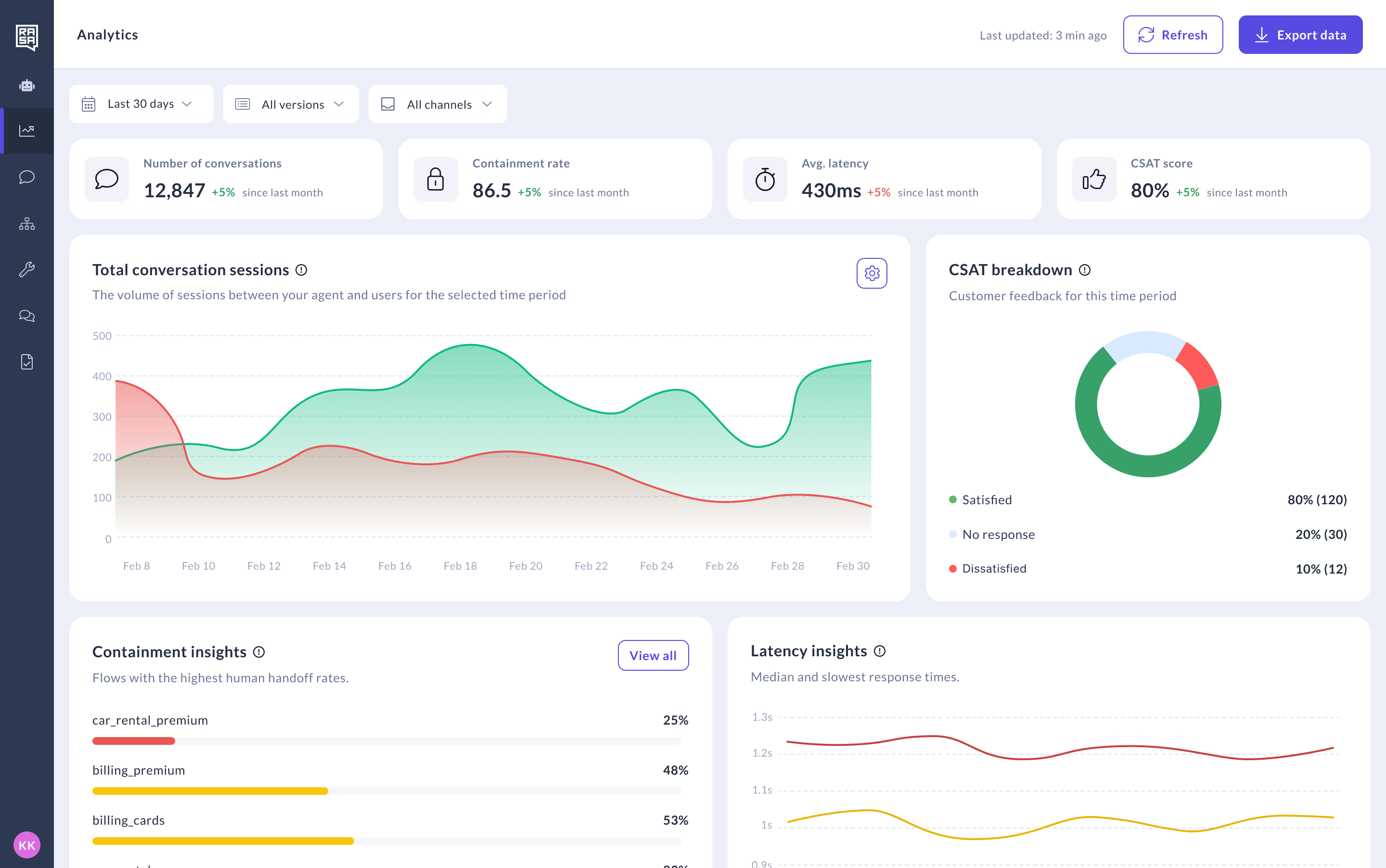
Product Overview
Rasa’s main difference from Dialogflow is ownership.
With Dialogflow, teams build inside Google’s managed agent platform. That can be efficient if the organization already wants Google Cloud as the runtime, console, speech layer, data store, logging layer, and broader AI infrastructure.
With Rasa, teams run the agent platform in their own environment and connect it to the systems, models, channels, and release processes they already use. The platform includes the Framework, the patented Orchestrator, and Studio. Engineering teams keep the codebase, version control, CI/CD, tests, and release process. Non-technical teams can review, test, and improve agent behavior in Studio without owning the deployment.
This matters most in regulated production use cases where some parts of the conversation can be flexible, but other parts need tighter control: identity checks, policy steps, approvals, handoffs, backend actions, required wording, audit logs, and release reviews.
Rasa also supports voice and digital channels in one operating model. It is not a standalone speech stack. Teams can connect voice channels and speech providers while keeping the conversation logic, integrations, state, and governance model consistent across voice and chat.
Pricing
Developer Edition (Free): Full access to Rasa. One bot per company, up to 1,000 external conversations/month (100 for internal agents). Community support via the Rasa Forum.
Enterprise (Custom): Premium support, dedicated CSM, advanced security features, custom onboarding, Rasa Studio for refining design and review. Contact Rasa for a quote.
Pricing is based on annual conversation volume, not per-request, per-event, or per-query consumption.
Contrast with Dialogflow CX's modern pricing surface: per-request charges for generative requests, per-1,000-event charges for stored sessions and memories (effective January 2026), per-query Vertex AI Search charges if the agent grounds on enterprise data, plus $5 per GiB beyond the free 10 GiB monthly quota for data store storage, on top of underlying GCP compute and storage costs.
Integrations
Rasa supports self-hosted, private-cloud, and air-gapped deployment.
Teams can connect internal systems through custom actions, APIs, MCP, A2A and channel connectors. Voice deployments use channel connectors and speech-provider integrations rather than forcing one fixed speech stack.
Rasa does not require Vertex AI Search, Google Cloud Storage, Google Speech-to-Text, Google Text-to-Speech, or Google Cloud Logging as platform dependencies.
Setup
Self-hosted in your environment from day one. On-premises, private cloud, and air-gapped deployment options. Rasa does not host any customer data, systems, or applications. No GCP subscription required, no Vertex AI Search dependency.
Swisscom went from prototype to production in 20 weeks, doubling automation rates and cutting operational costs by 50 percent.
For Dialogflow CX teams already comfortable with flow-based authoring and intent/entity modeling, the migration path is incremental: existing intents, training phrases, and flow definitions translate naturally to Rasa's guided and prompt-driven skill primitives.
Pros and Cons
Pros:
- Self-hosted, private-cloud, and air-gapped deployment options.
- No required Google Cloud runtime dependency.
- Annual conversation-volume licensing.
- Patented Orchestrator for managing conversation state, guided behavior, memory, and agent actions.
- Works with the customer’s models, providers, APIs, and infrastructure.
- Supports voice and digital channels in one operating model.
- Fits engineering workflows: codebase, version control, CI/CD, tests, review, and controlled releases.
- Studio gives non-technical teams a place to review, test, and improve agent behavior.
Cons:
- Requires engineering resources or an implementation partner.
- Less suitable for teams that want a fully managed no-code agent builder.
- Not a standalone voice automation API.
Tradeoffs
Choose Dialogflow if your enterprise is already standardized on Google Cloud, wants a managed agent builder, and is comfortable with Google’s runtime, console, pricing model, and speech/data services.
Choose Rasa if you need self-hosted deployment, technical ownership, regulated-industry governance, model and provider choice, and a platform your engineering team can operate like part of your own software stack.
Support
Rasa enterprise customers receive onboarding, implementation guidance, architecture support, deployment guidance, integration guidance, and best-practice reviews. Community support is available through the Rasa Forum.
Mini Case Study
Deutsche Telekom deployed Rasa for internal IT support across 10,000+ employees in German and English. 50 percent of service desk inquiries resolved autonomously. 30 percent reduction in agent workload. Non-technical IT experts use Rasa Studio to design conversation flows.
See How Rasa Compares to Dialogflow's Google Cloud Lock-In
#2. Cognigy (NICE): Best Dialogflow Alternative for Voice-First Contact Center Automation
Best for enterprise contact centers that want strong voice automation, visual flow design, omnichannel service tooling, and deployment options beyond Google Cloud.
Score: 7.6/10. Strong omnichannel (9/10), native voice (9/10), on-premises option (8/10), and high-volume voice capability (9/10).
Scored lower on governance depth vs. Rasa's Orchestrator (6/10), pricing transparency (5/10), and NICE acquisition roadmap risk (6/10).
Product Overview
Cognigy is an enterprise conversational and agentic AI platform built for customer service automation. Compared with Dialogflow, its strongest advantage is contact center depth.
Cognigy Voice Gateway supports automated phone conversations, IVR, multilingual voice interactions, contact center transfers, monitoring, and high-volume concurrent conversations. Cognigy.AI also includes visual flow tooling, Knowledge AI, Insights, Live Agent, Agent Copilot, and integrations into existing contact center systems.
NICE acquired Cognigy in 2025, which gives Cognigy stronger distribution through the CXone ecosystem. Buyers should still check how roadmap, packaging, and pricing evolve as the two product lines come together.
Pros and Cons
Pros:
- Strong voice automation through Cognigy Voice Gateway.
- Purpose-built for enterprise contact centers.
- Visual tooling for building and managing customer service agents.
- On-premises deployment option.
Cons:
- Custom enterprise pricing.
- Best fit for teams comfortable building inside Cognigy and NICE’s contact center ecosystem.
- Less naturally aligned with teams that want a code-first agent platform as their main source of truth.
- Roadmap and packaging may continue to change following the NICE acquisition.
Pricing
Pilots from $2,500-$5,000/month. Enterprise $100K-$350K+/year. Voice minutes and LLM tokens bill separately.
Setup
Weeks for pre-built templates. 2-4 months for enterprise deployments.
Tradeoffs
Cognigy is a strong Dialogflow alternative when the main requirement is voice-first contact center automation with mature CX tooling and deployment options outside Google Cloud.
Rasa is the stronger fit when voice is part of a broader enterprise agent platform that needs customer-controlled deployment, model and provider choice, code-based release workflows, and consistent governance across voice and digital channels.
4.7/5 Gartner Peer Insights (100+ reviews).
#3. Replicant: Best Dialogflow Alternative for Voice-First Contact Center Automation
Best for enterprises that want a managed voice automation platform for high-volume contact center calls, especially when the main goal is automating inbound phone conversations rather than building a broader enterprise agent platform.
Score: 6.6/10. Voice-native architecture (9/10) and contact center specialization (9/10).
Scored lower on multi-channel (4/10), deployment flexibility (3/10, vendor cloud only), governance depth (5/10), and use cases beyond voice contact center (3/10).
Product Overview
Replicant is a contact center AI platform focused on automating customer service conversations across voice, chat, and SMS. Its strongest fit is voice-heavy support teams that want a vendor-managed platform with telephony, transcription, voices, analytics, QA, testing, and delivery support included.
Compared with Dialogflow, Replicant is more specialized around contact center automation and operational support. It is less of a general agent-building platform and more of a managed automation platform for service teams.
Pros and Cons
Pros:
- Strong focus on contact center voice automation.
- Supports voice, chat, and SMS.
- Built-in analytics, QA, testing, and conversation monitoring.
- CCaaS and external system integrations.
Cons:
- Public materials focus on vendor-managed deployment, not customer self-hosting.
- Less suited to teams that want code-first ownership of the agent platform.
- Strongest in contact center automation, not broader enterprise agent orchestration.
Pricing
Custom enterprise pricing for contact center voice deployments.
Setup
Weeks for contact center voice deployments with CCaaS and telephony integration.
Tradeoffs
Replicant is a strong Dialogflow alternative when the buyer wants a managed contact center automation partner focused on voice-heavy service operations.
Rasa is stronger when the buyer needs self-hosted deployment, technical ownership, model and provider choice, code-based release workflows, and consistent governance across voice and digital agents.
#4. Kore.ai: Best Dialogflow Alternative for Avoiding Google Cloud Lock-In
Best for large enterprises that want a broad conversational AI and agent platform with visual tooling, industry templates, contact center depth, and deployment options outside Google Cloud.
Score: 7.4/10. Strong enterprise depth (8/10), on-prem option (8/10), and Gartner Leader recognition (9/10).
Scored lower on setup speed (5/10, 3-6 month implementations), pricing transparency (5/10), and integration reliability (6/10 per Capterra).
Product Overview
Kore.ai is one of the broader enterprise platforms in this category. It covers customer service, employee service, process automation, agent assist, enterprise search, contact center automation, and multi-agent orchestration.
Compared with Dialogflow, Kore.ai is a stronger fit for enterprises that want a non-Google platform with more packaged enterprise use cases, visual build tooling, and deployment flexibility. It offers pre-built agents and templates for industries like banking, healthcare, retail, HR, IT, and customer service.
Kore.ai also has a mature contact center motion through SmartAssist, with voice, digital channels, agent assist, analytics, and integrations into systems like Salesforce, SAP, ServiceNow, NICE, and Genesys.
Pros and Cons
Pros:
- Broad enterprise AI agent platform.
- Strong omnichannel and contact center capabilities.
- Pre-built agents and templates for common enterprise and industry use cases.
- Deployment options beyond Google Cloud, including on-premises options.
- Visual builder, pro-code extensions, SDKs, guardrails, evaluation, analytics, and agent management.
Cons:
- Large platform surface can create a steeper learning curve.
- Enterprise pricing is custom.
- Implementation complexity depends on the number of channels, systems, agents, and governance requirements.
- Less naturally aligned with teams that want a code-first agent platform as their main source of truth.
Pricing
Custom enterprise pricing. No public rate card. Typical deployments $300K+/year per public reporting.
Setup
Weeks for pre-built agents. Months for custom enterprise.
Tradeoffs
Kore.ai is a strong Dialogflow alternative when the buyer wants a broad enterprise agent platform outside Google Cloud, with visual tooling, industry templates, and contact center depth.
Rasa is stronger when the buyer needs customer-controlled deployment, code-based ownership, model and provider choice, and engineering workflows for testing, release, review, and long-term governance.
4.4/5 Capterra (17 reviews).
#5. Yellow.ai: Best Dialogflow Alternative for Global Multilingual CX
Best for global enterprises that need multilingual customer and employee service across many regions, channels, and support operations.
Score: 7.0/10. Strong multilingual breadth (10/10), regional CX depth (9/10), and pre-built industry templates (8/10).
Scored lower on deployment flexibility (5/10), governance vs. Rasa's Orchestrator (6/10), and pricing transparency (5/10).
Product Overview
Yellow.ai is an enterprise AI agent platform for CX and EX automation. Its strongest fit is global service automation across chat, voice, email, messaging, and regional channels.
Compared with Dialogflow, Yellow.ai is often more attractive to teams that want broader multilingual coverage, packaged CX workflows, and faster omnichannel rollout without committing deeper into Google Cloud.
Pros and Cons
Pros:
- Strong multilingual coverage.
- Broad channel support across chat, voice, email, SMS, and messaging.
- Pre-built integrations with systems like Salesforce, Zendesk, Genesys, and NICE.
- No-code and low-code builder for customer service teams.
- Built-in testing, analytics, knowledge base, and optimization tools.
Cons:
- Public materials focus on cloud and enterprise cloud deployment, not customer self-hosting.
- Less suited to teams that want the agent codebase and release process as their main source of truth.
- Pricing is sales-led for enterprise deployments.
- Best fit is CX and EX automation, not broad customer-owned agent platform architecture.
Pricing
Custom enterprise pricing. Sales-led with volume-based licensing.
Setup
Weeks for pre-built industry templates. Months for custom multilingual enterprise.
Tradeoffs
Yellow.ai is a strong Dialogflow alternative when multilingual CX and omnichannel rollout are the main priorities.
Rasa is stronger when the buyer needs self-hosted deployment, customer-controlled infrastructure, model and provider choice, and engineering workflows for testing, release, review, and governance across voice and digital agents.
#6. Amazon Lex: Best Dialogflow Alternative for Hyperscaler-Native Voice and Chat
Best for enterprises already committed to AWS, especially teams using Amazon Connect, Lambda, IAM, S3, Bedrock, and the broader AWS contact center stack.
Score: 6.8/10. Strong AWS ecosystem integration (9/10), pay-as-you-go pricing transparency (7/10), and AWS Connect telephony depth (8/10).
Scored lower on deployment outside AWS (3/10), deterministic dialogue management (4/10), and dialogue authoring sophistication vs. Dialogflow CX (5/10).
Product Overview
Amazon Lex is AWS’s managed service for building voice and text bots. It includes speech recognition, language understanding, multi-turn dialogue, versioning, aliases, a visual builder, and integration with Amazon Connect.
Compared with Dialogflow, Lex makes the most sense when the team wants to stay inside AWS instead of Google Cloud. It connects directly to Amazon Connect for contact center voice, Lambda for backend actions, IAM for permissions, S3 for storage, and Bedrock for generative AI features.
Pros and Cons
Pros:
- Good fit for AWS teams.
- Strong Amazon Connect integration for contact center voice and chat.
- Pay-as-you-go pricing with no upfront commitment.
- Supports voice and text conversations.
- Connects with Lambda, Bedrock, IAM, S3, and other AWS services.
- Visual Conversation Builder for no-code bot design.
Cons:
- Runs inside AWS, so teams trade Google dependency for AWS dependency.
- No customer self-hosted deployment model.
- Production deployments often require work across several AWS services, not only Lex.
- Less useful for teams that want one platform workflow for agent design, testing, review, release, and improvement across voice and digital channels.
Pricing
Pay-as-you-go: text request and voice request pricing. AWS Connect, Lambda, and S3 billed separately.
Setup
Days for basic AWS-integrated bots. Weeks for production voice deployments with AWS Connect.
Tradeoffs
Choose Amazon Lex if your team already runs contact center and backend systems on AWS, and wants a managed AWS service for voice and chat automation.
The tradeoff is that Lex is one part of the AWS stack. For production use cases, teams usually still need to connect Amazon Connect, Lambda, IAM, Bedrock, storage, monitoring, analytics, and handoff logic.
Choose Rasa if the team wants a platform layer they can run in their own environment, connect to their own model and speech providers, and manage through their existing engineering workflow across voice and digital channels.
#7. Azure Bot Service: Best Dialogflow Alternative for Microsoft-Native Bot Framework
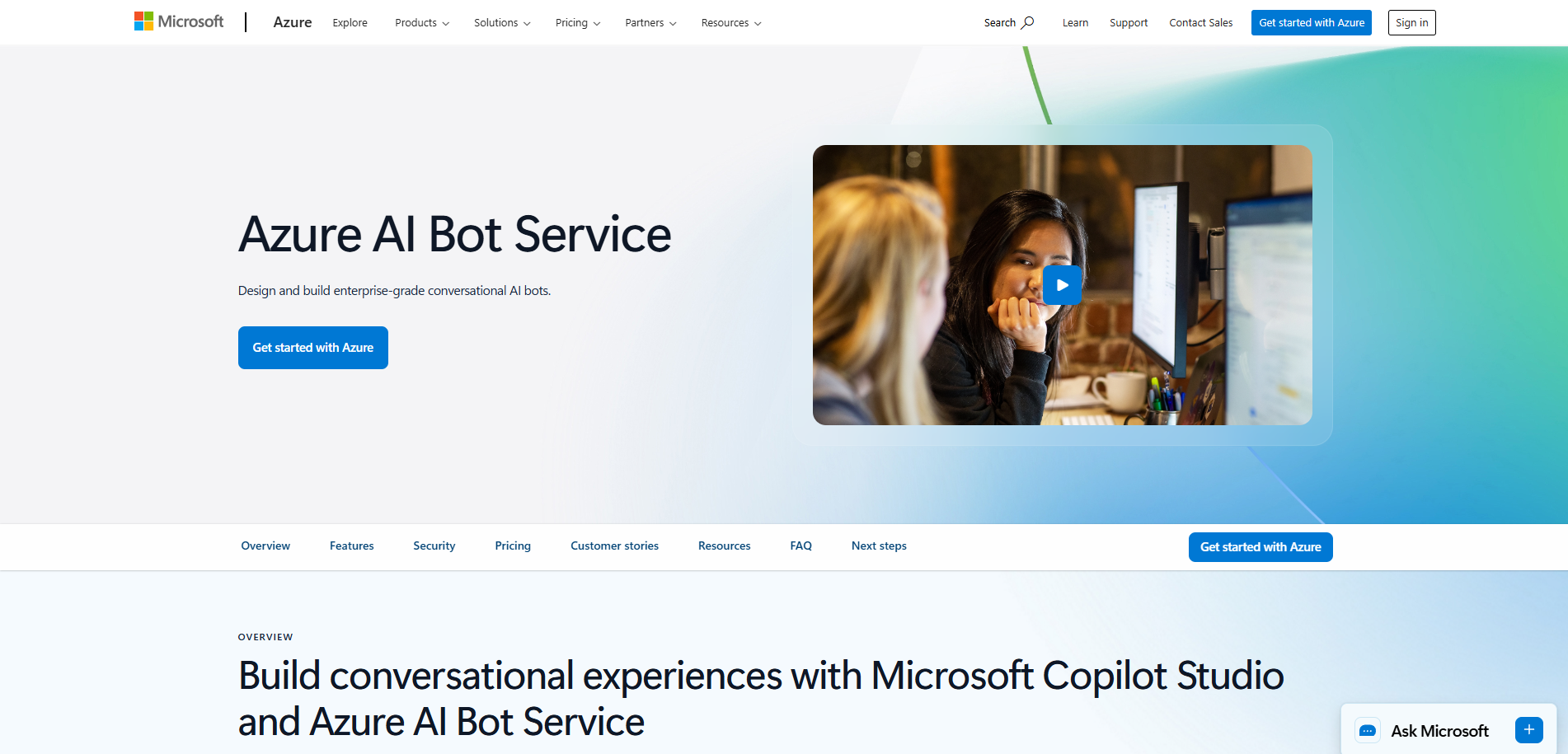
Best for enterprises that already use Azure and want bot development tied into Microsoft Teams, Microsoft 365, Dynamics 365, Azure AI services, and the Bot Framework SDK.
Score: 6.8/10. Strong Azure AI ecosystem integration (9/10), Bot Framework SDK depth (8/10), and Microsoft 365 + Teams + Dynamics integration (8/10).
Scored lower on deployment outside Azure (3/10), pricing predictability with Azure consumption (5/10), and deterministic dialogue management (5/10).
Product Overview
Azure Bot Service is Microsoft’s cloud service for building and connecting bots across channels such as Microsoft Teams, web chat, and other messaging surfaces. It works with the Bot Framework SDK and sits naturally alongside Azure AI services, Azure App Service, Application Insights, and Microsoft identity tooling.
Compared with Dialogflow, Azure Bot Service is the practical choice when the team wants to build inside Microsoft’s cloud instead of Google’s. It is especially relevant for organizations already using Teams, Dynamics 365, Microsoft 365, and Azure infrastructure.
This is different from Microsoft Copilot Studio, which is Microsoft’s low-code maker tool for business users. Azure Bot Service is more developer-oriented.
Pros and Cons
Pros:
- Strong fit for Microsoft and Azure teams.
- Bot Framework SDK for developer-led bot building.
- Good path into Microsoft Teams and Microsoft 365 surfaces.
- Works with Azure AI services, App Service, Application Insights, and Microsoft identity tooling.
- Useful when the bot needs to live close to other Azure applications and services.
Cons:
- Runs inside Azure, so teams trade Google dependency for Microsoft dependency.
- No customer self-hosted deployment model.
- Voice requires additional Azure Speech and channel setup.
- Production agents usually require work across several Azure services, not only Bot Service.
- Microsoft’s overlapping options, including Copilot Studio and Azure AI Foundry, can make platform choice less obvious.
Pricing
Free tier for low-volume bots. Azure consumption pricing at production scale.
Setup
Days for SDK-based bots within Azure. Weeks for production with custom integrations.
Tradeoffs
Choose Azure Bot Service if your team already builds on Azure and wants a developer-oriented bot service that connects well with Microsoft Teams, Microsoft 365, Dynamics 365, and Azure services.
Choose Rasa if your team needs the agent platform to run in its own environment, work across providers, and follow the same testing, review, and release process as the rest of its software.
#8. Botpress: Best Dialogflow Alternative for No-Code Design Teams
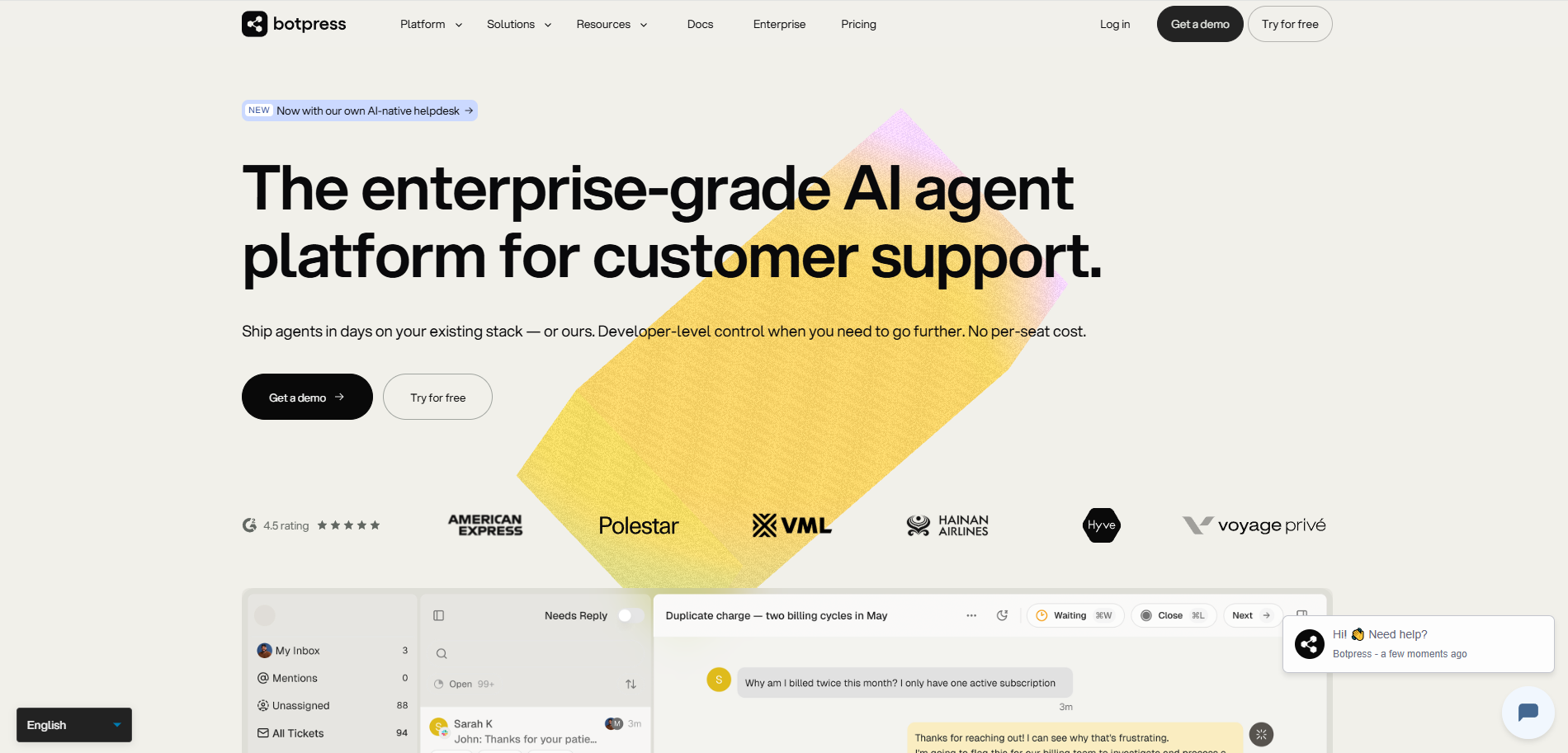
Best for teams that want a cloud-based visual builder for LLM-powered agents, with enough developer access to add custom code, APIs, and integrations when needed.
Score: 6.8/10. Strong prototyping speed (9/10) and LLM flexibility (9/10).
Scored lower on governance (4/10), deployment (3/10, self-hosted OSS deprecated), voice (2/10), and enterprise readiness (5/10).
Product Overview
Botpress is an all-in-one AI agent platform with a visual Studio, drag-and-drop workflows, knowledge base features, analytics, human handoff, and an Agent Development Kit for building agents with code.
Compared with Dialogflow, Botpress is often easier for teams that want to move quickly without building inside Google Cloud. It supports common web, messaging, and business-system integrations, and gives developers a way to extend agents with custom code and APIs.
The main caveat is deployment. Botpress v12 and self-hosted versions have been sunset for new deployments. New Botpress projects run on Botpress Cloud.
Pros and Cons
Pros:
- Fast visual builder for AI agents.
- Pro-code path through APIs, custom code, and the Agent Development Kit.
- Works with multiple LLM providers.
- Knowledge base, analytics, human handoff, and version history.
- Good fit for web and messaging agents.
Cons:
- Self-hosted Botpress is no longer available for new deployments.
- Enterprise deployment depends on Botpress Cloud.
- Voice exists as a channel/interface, but Botpress is not a voice-first contact center platform.
- Usage can depend on messages, events, storage, seats, bots, and AI spend, so teams should model production usage carefully.
Pricing
Free (500 messages). Plus $79/month. Team $495/month. Enterprise custom.
Setup
Hours for initial bots. Days for production with integrations.
Tradeoffs
Choose Botpress if your team wants a cloud visual builder with developer extension points and does not need to self-host the platform.
Choose Rasa if the agent needs to run in your own environment and follow your team’s engineering process for testing, review, release, and governance.
4.5/5 Capterra (35 reviews).
#9. Retell AI: Best Dialogflow Alternative for Security and Technical Voice Control

Best for teams that want to build and launch phone agents quickly, with API access, telephony integration, and usage-based pricing.
Score: 6.6/10. Fastest voice deployment (10/10) and pricing transparency (9/10).
Scored lower on governance (3/10), deployment flexibility (5/10), integration depth (5/10), and multi-channel support (3/10, voice-focused).
Product Overview
Retell AI is a voice AI platform for building phone agents. It supports inbound and outbound calls, call transfer, custom SIP, telephony integrations, analytics, testing, and developer APIs.
Compared with Dialogflow, Retell is a better fit when the immediate job is phone automation. It gives developers a focused voice-agent toolset rather than a broader conversational AI platform tied to Google Cloud.
Pros and Cons
Pros:
- Fast setup for phone agents.
- Developer-friendly APIs and webhooks.
- Inbound and outbound call support.
- Custom SIP and telephony integrations.
- Call analytics, transcripts, and simulation testing.
Cons:
- Primarily a voice-agent platform, not a full omnichannel enterprise agent platform.
- Production cost still depends on selected LLM, voice, telephony, and usage patterns.
- Enterprise governance depends on how the team designs the surrounding workflow.
- Less suited to teams that need one governed platform across voice, chat, digital channels, and internal systems.
Pricing
$0.07/minute base (published). Volume discounts. Enterprise custom. ASR/TTS/LLM provider costs additional.
Setup
Hours for demo calls. Days for production with telephony and basic integrations.
Tradeoffs
Choose Retell if the main goal is to launch phone agents quickly and your team is comfortable building around a voice-focused platform.
Choose Rasa if voice is only one part of the agent strategy and the team needs the same governance, testing, release process, and integration model across voice and digital channels.
#10. Decagon AI: Best Dialogflow Alternative for Fast Knowledge Deployment
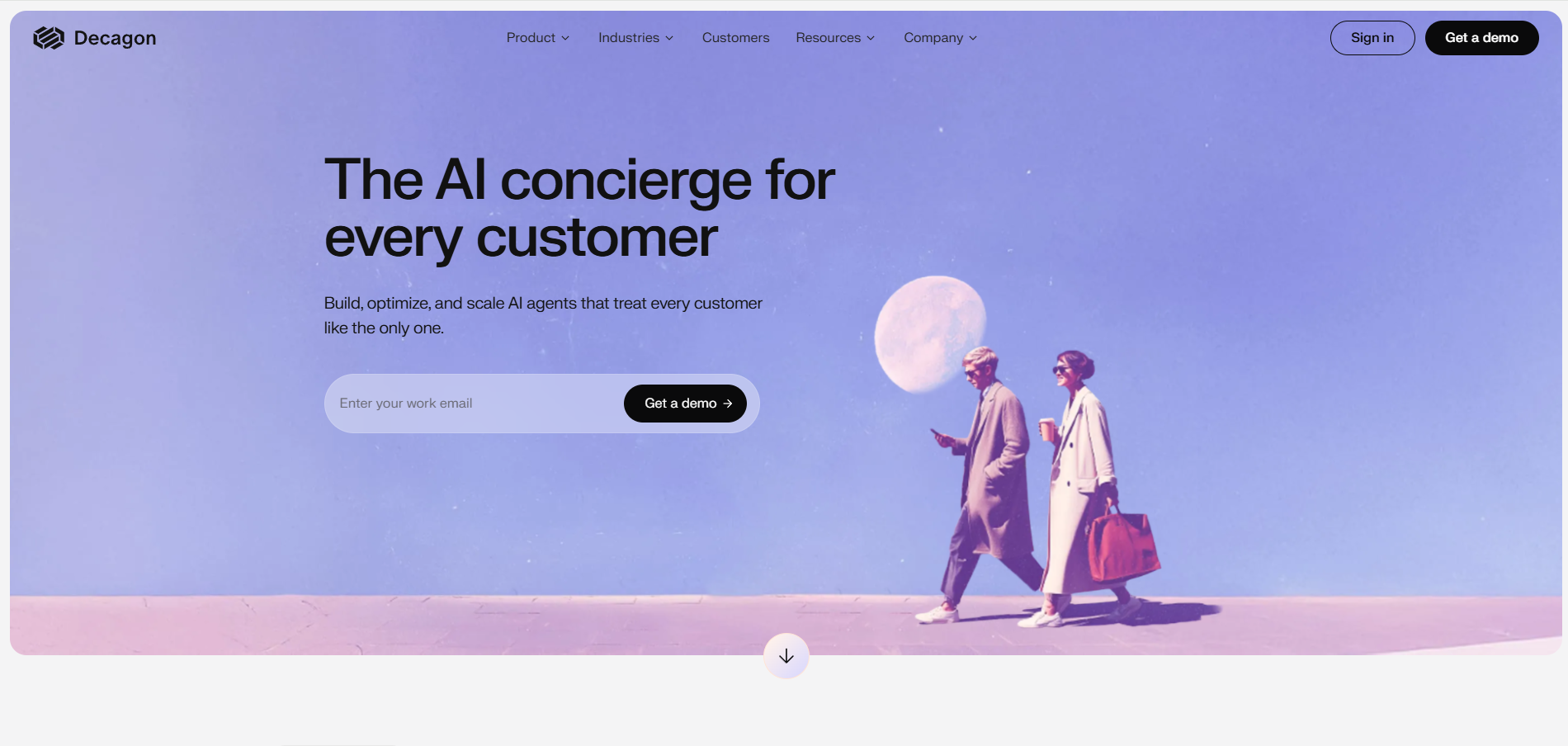
Best for enterprises that want a managed AI agent platform for customer support, especially when the priority is fast rollout across chat, voice, email, helpdesk, CRM, and knowledge base workflows.
Score: 6.8/10. Fastest enterprise knowledge agent go-live (10/10) and managed deployment pattern (8/10).
Scored lower on deployment flexibility (3/10, cloud only), governance vs. Rasa's Orchestrator (5/10), native voice (4/10), and code-as-source-of-truth authoring (5/10).
Product Overview
Decagon is an enterprise AI agent platform focused on customer support automation. It covers chat, voice, and email, with tools for authoring agent procedures, connecting helpdesk and CRM systems, testing changes, monitoring conversations, and improving the agent after launch.
Compared with Dialogflow, Decagon is less about giving teams a general-purpose cloud agent builder and more about giving CX teams a managed support automation platform.
Pros and Cons
Pros:
- Managed platform for customer support automation.
- Supports chat, voice, and email.
- Strong workflow around QA, simulations, testing, traces, and conversation review.
- Integrates with helpdesk, CRM, and knowledge systems.
- Good fit for CX teams that want vendor help getting agents live and improving them.
Cons:
- Public materials focus on managed cloud deployment, not customer self-hosting.
- Less suited to teams that want the agent codebase, infrastructure, and release process under their own engineering control.
- Pricing is sales-led.
- Best fit is customer support automation, not a broad enterprise agent platform owned by internal technical teams.
Pricing
Custom enterprise pricing. Typical deployments $100K-$500K+/year.
Setup
3-6 weeks for enterprise knowledge agent go-live with managed vendor deployment.
Tradeoffs
Choose Decagon if your team wants a vendor-managed customer support agent and values speed, QA, and continuous improvement tooling more than owning the full platform.
Choose Rasa if your team wants to run the agent platform itself, keep the build and release process inside engineering, and use the same governance model across customer support, employee service, voice, chat, and other enterprise agent use cases.
Why Choose Dialogflow Alternatives
You need deployment control
Dialogflow runs on Google Cloud. If your team needs self-hosting, private cloud, on-premises, or air-gapped deployment, you will likely need another platform.
Rasa is the strongest fit here. Cognigy and Kore.ai also offer enterprise deployment options beyond standard managed cloud.
You want less Google Cloud dependency
A production Dialogflow setup can pull in Google services for agent building, grounding, speech, logging, storage, permissions, and infrastructure.
That is useful if your company is already all-in on Google Cloud. It is a problem if your architecture needs to stay cloud-neutral, run in your own environment, or use different model, speech, search, and data providers.
You need easier cost forecasting
Dialogflow pricing depends on agent type, usage, voice duration, chat requests, data stores, and related Google Cloud services.
That may work at small scale, but large voice and chat programs need clearer forecasting. Rasa uses annual conversation-volume licensing, which is easier to model for enterprise programs with known traffic expectations.
Voice is the main buying requirement
Dialogflow supports voice, but it is not a voice-first contact center platform.
If the main goal is phone automation, Cognigy, Replicant, and Retell may be better fits depending on whether the team wants enterprise contact center tooling, managed voice automation, or a developer voice API.
If voice is one channel in a broader agent platform, Rasa is the better comparison: the same agent logic, integrations, governance, and release process can work across voice and digital channels.
Engineering teams need more ownership
Dialogflow gives teams a managed console. That is good for visual building and fast setup.
Some teams need the agent to behave more like software they own: versioned, tested, reviewed, released, monitored, and changed through their engineering workflow.
That is where Rasa, Amazon Lex, Azure Bot Service, Botpress, and other developer-oriented options become more relevant. The right choice depends on whether the team wants to build inside AWS, Azure, a cloud visual builder, or its own infrastructure.
The product direction no longer fits
Google is moving Dialogflow and Vertex AI Agent Builder concepts into the newer Conversational Agents experience. That may be the right direction for Google Cloud teams.
For teams already questioning deployment, pricing, voice architecture, governance, or ownership, a platform shift is also a natural time to compare alternatives.
How to Choose the Right Dialogflow Alternative
1. Start with why Dialogflow is being questioned
Do not compare tools feature by feature yet. First, name the constraint that is forcing the evaluation.
Common reasons:
- The company does not want to build deeper into Google Cloud.
- The team needs self-hosted, private-cloud, or air-gapped deployment.
- Production cost is hard to forecast across chat, voice, data stores, and related cloud services.
- Voice is now the main use case.
- Compliance needs clearer control over logs, traces, tool calls, handoffs, approvals, and releases.
- Engineering wants code, tests, CI/CD, and review workflows instead of only a managed console.
If none of those are true, Dialogflow may still be the right choice.
2. Match the alternative to the real buying constraint
Use the constraint to narrow the list.
- Need regulated deployment and technical ownership: Rasa.
- Need enterprise contact center voice: Cognigy or Replicant.
- Need fast phone-agent development: Retell AI.
- Need AWS fit: Amazon Lex.
- Need Microsoft fit: Azure Bot Service.
- Need visual cloud building: Botpress.
- Need broad enterprise platform templates: Kore.ai.
- Need global multilingual CX: Yellow.ai.
- Need managed customer support agents: Decagon.
This is the fastest way to avoid a fake comparison.
3. Test one real production journey
Pick one high-value journey that includes the hard parts: authentication, backend actions, policy steps, handoff, edge cases, and reporting.
Then test the top two platforms against the same journey. Track:
- how quickly the team can build and change it
- how well it handles corrections and digressions
- how handoffs work
- what gets logged and traced
- what the voice experience feels like
- what it costs at projected volume
- what engineering has to own after launch
A polished demo does not tell you this. A real journey does.
4. Decide on operating model, not feature count
The right platform is the one your team can run for the next three years.
Ask:
- Who owns changes after launch?
- Who approves risky behavior?
- Who can debug a failed conversation?
- Where does the system run?
- Which models, speech providers, and data systems does it depend on?
- How predictable is the cost at production volume?
- How hard is it to add the next 20 use cases?
Choose Dialogflow if the answer is: “We want a managed Google Cloud agent builder.”
Choose an alternative if the answer is: “We need the agent platform to fit our deployment model, engineering workflow, voice requirements, or compliance process.”
Key Features to Look for When Exploring Dialogflow Competitors
Deployment that matches your security requirements
Start here. If your team needs self-hosted, private-cloud, on-premises, or air-gapped deployment, Dialogflow is probably the wrong fit because it runs as a Google Cloud service.
Rasa is strongest for customer-controlled deployment. Cognigy and Kore.ai also offer enterprise deployment options beyond standard managed cloud. For other vendors, confirm the exact model before assuming it meets regulated-industry requirements.
A pricing model your team can forecast
Dialogflow pricing depends on edition, chat requests, voice duration, data store usage, and related Google Cloud services. That can work, but large programs need a full production cost model.
Compare the pricing model, not only the list price:
- annual conversation volume
- per-message or per-request billing
- per-minute voice billing
- LLM, ASR, TTS, and telephony costs
- storage, logging, and data store costs
- support and implementation fees
Rasa uses annual conversation-volume licensing. Retell publishes usage-based voice pricing. AWS and Azure services use cloud consumption models. Most enterprise CX platforms use custom pricing.
Voice that fits the use case
Do not treat all voice support as equal.
If phone automation is the main use case, compare Cognigy, Replicant, and Retell. If voice is one channel in a broader agent platform, compare Rasa because voice and digital channels can share the same logic, integrations, governance, and release workflow.
Control where the business process requires it
Generative features are useful, but regulated workflows still need clear controls.
Look for support for required steps, approvals, exact wording, backend action rules, handoff rules, tests, traces, and audit logs. The buyer should be able to see what happened in a conversation and why it happened.
Rasa is strong here because teams can use flexible agent behavior where it helps, then add stricter controls where the process requires it.
Freedom from one cloud stack
Dialogflow is strongest when the team is already committed to Google Cloud.
If the team needs another cloud, compare Amazon Lex for AWS and Azure Bot Service for Microsoft. If the team wants to stay less tied to one hyperscaler, compare Rasa and other platforms that can connect to different models, speech providers, APIs, channels, and data systems.
Engineering workflow fit
A managed console is useful for fast setup. It is not always enough for long-running enterprise programs.
For production agents, check whether teams can manage changes through version control, tests, review, CI/CD, release approvals, monitoring, and rollback. This matters when the agent touches customer accounts, payments, claims, healthcare workflows, internal systems, or regulated data.
Cost Comparison: Dialogflow vs. Competitors
Dialogflow CX pricing in 2026 combines per-request generative charges, per-1,000-event session storage (effective January 2026), per-query Vertex AI Search charges, and data store storage at $5 per GiB beyond a 10 GiB monthly free quota.
New users receive $600 credit for Flows and $1,000 for Playbooks, valid for 12 months. The billing model matters as much as the headline price.
- Rasa: Developer Edition free (1,000 conversations/month). Enterprise custom based on annual conversation volume.
- Dialogflow CX: Per-request generative charges + per-1,000-event session storage (January 2026) + per-query Vertex AI Search + $5/GiB beyond 10 GiB data store storage. New user credit: $600 Flows + $1,000 Playbooks, 12 months.
- Cognigy: Pilots from $2,500-$5,000/month. Enterprise $100K-$350K+/year. Voice minutes and LLM tokens bill separately.
- Kore.ai: Custom enterprise pricing, typical deployments $300K+/year.
- Yellow.ai: Custom enterprise pricing with volume-based licensing.
- Amazon Lex: Pay-as-you-go on text and voice requests. AWS Connect, Lambda, and S3 billed separately.
- Azure Bot Service: Free tier for low volume. Azure consumption pricing at production scale.
- Botpress: Free (500 messages). Plus $79/month. Team $495/month.
- Retell AI: $0.07/minute base published. ASR/TTS/LLM provider costs additional.
- Decagon AI: Custom enterprise. Typical $100K-$500K+/year.
- Replicant: Custom enterprise pricing for contact center voice.
Which of the Dialogflow Alternatives Is Right for Your Business?
- Need regulated enterprise self-hosting with full ownership: Rasa. The patented Orchestrator for architectural governance over agent behavior, native voice and chat, on-premises and air-gapped deployment, no Google Cloud dependency.
- Need voice-first contact center automation: Cognigy (NICE). Voice Gateway, visual flow tooling, contact center depth, omnichannel CX, and enterprise deployment options.
- Need managed contact center voice automation: Replicant. Strong fit for voice-heavy service operations, with managed delivery, CCaaS integrations, QA, analytics, and support automation workflows.
- Need broad enterprise agent platform outside Google Cloud: Kore.ai. Omnichannel AI agents, industry templates, SmartAssist contact center tooling, multi-agent orchestration, and enterprise deployment options.
- Need AWS-native voice and chat: Amazon Lex. Works closely with Amazon Connect, Lambda, IAM, S3, Bedrock, and other AWS services.
- Need Microsoft-native bot development: Azure Bot Service. Bot Framework SDK, Microsoft Teams, Microsoft 365, Dynamics 365, Azure AI services, and Azure infrastructure fit.
- Need cloud visual agent building: Botpress. Visual Studio, multiple LLM options, knowledge base tooling, analytics, human handoff, and developer extension points.
- Need fast phone-agent development: Retell AI. Voice API, inbound and outbound calls, custom SIP, telephony integrations, call testing, analytics, and published usage-based pricing.
- Need managed customer support agents: Decagon AI. Managed CX agent platform for chat, voice, and email, with helpdesk, CRM, knowledge grounding, QA, simulations, traces, and continuous improvement workflows.
FAQs
What are the main reasons enterprises look for Dialogflow alternatives?
Most teams look for alternatives because of deployment, cloud dependency, cost forecasting, voice architecture, or governance. Dialogflow is a good fit for Google Cloud teams, but it is harder to justify when the company needs self-hosting, private cloud, air-gapped deployment, cloud-neutral architecture, or stronger engineering ownership over how agents are built and released.
Is Dialogflow being deprecated?
No. Dialogflow is not being deprecated. Google is consolidating the build experience through the newer Conversational Agents console, which brings together Dialogflow CX and Vertex AI Agent Builder capabilities. The safer way to describe this is product consolidation, not shutdown.
What changed with Google’s Conversational Agents console?
The Conversational Agents console gives teams one place to work with deterministic flows, generative playbooks, data stores, and other agent-building features. That is useful for Google Cloud teams. It also gives enterprise buyers a reason to reassess whether they want to keep building deeper into Google’s agent stack or move to a platform with more control over deployment, providers, and release workflows.
What is the difference between Dialogflow ES and Dialogflow CX?
Dialogflow ES is the older intent-based product. Dialogflow CX is the more advanced product for complex enterprise agents, with visual flow design, stronger state management, and better tooling for multi-turn customer journeys. Teams still running ES should treat a move to CX or Conversational Agents as a real platform decision, not just a small upgrade.
How does Dialogflow pricing work?
Dialogflow pricing depends on the product edition and usage type. Teams need to model chat requests, voice duration, generative features, data store usage, and related Google Cloud services. For small use cases this can be manageable. For large voice and chat programs, the full production cost needs to be modeled carefully.
Does Dialogflow support self-hosted or on-premises deployment?
Google’s public materials do not describe a customer self-hosted or air-gapped deployment option for Dialogflow. Dialogflow runs as a Google Cloud service. If self-hosting, private cloud, or air-gapped deployment is required, teams should evaluate alternatives such as Rasa, Cognigy, or Kore.ai.
Which Dialogflow alternative is best for regulated enterprises?
Rasa is the strongest fit for regulated enterprises that need self-hosted deployment, technical ownership, model and provider choice, audit-friendly behavior, and release workflows that fit engineering and compliance processes.
Which Dialogflow alternative is best for contact center voice?
Cognigy is a strong option for enterprise contact centers that want voice automation, visual CX tooling, and contact center depth. Replicant is a strong option for managed voice-heavy service operations. Retell AI is a strong option for teams that want to build phone agents quickly with developer APIs.
Which Dialogflow alternative is best for AWS teams?
Amazon Lex is the natural option for teams already building on AWS, especially if they use Amazon Connect, Lambda, IAM, S3, Bedrock, and other AWS services.
Which Dialogflow alternative is best for Microsoft teams?
Azure Bot Service is the stronger fit for teams that want developer-led bot building inside Azure, especially when Microsoft Teams, Microsoft 365, Dynamics 365, Azure identity, and Azure AI services are already part of the stack.
Rasa vs. Dialogflow: which should enterprises choose?
Choose Dialogflow if your team wants a managed Google Cloud agent builder and is comfortable using Google’s console, speech services, data stores, cloud infrastructure, and pricing model.
Choose Rasa if your team needs the agent platform to run in its own environment, connect to its own systems and providers, and follow engineering workflows for testing, review, release, monitoring, and governance.
Is Dialogflow better than Rasa for voice?
Dialogflow can be a good voice option for teams using Google’s speech and contact center services. Rasa is a better fit when voice is one channel in a broader enterprise agent platform, and the team wants the same logic, integrations, controls, and release process across voice and digital channels.
Can enterprises migrate from Dialogflow without rebuilding everything at once?
Yes. The safest approach is staged migration. Start by inventorying current agents, intents, entities, flows, playbooks, fulfillment webhooks, integrations, channels, and reporting requirements. Then rebuild one high-value production journey in the target platform and test it against real requirements before moving traffic. Avoid big-bang migrations unless the current Dialogflow implementation is small.
How should teams evaluate Dialogflow alternatives?
Do not start with a feature checklist. Start with the reason Dialogflow is being questioned. If the issue is Google Cloud dependency, compare deployment models. If the issue is voice, compare real call behavior. If the issue is governance, compare logs, traces, approvals, tests, and release controls. If the issue is cost, model the full production system over three years.