Voiceflow is a strong visual platform for building chat and voice agents. Its canvas, playbooks, workflows, knowledge base, tools, phone integration, testing, and analytics make it a solid option for teams that want to design and launch customer-facing agents quickly.
But teams searching for Voiceflow alternatives are often looking for a different operating model. The question is not just “Can we build an agent fast?” It is “Can we own, govern, debug, deploy, and improve this agent as part of our company’s own software and service operation?”
That matters when agents need to take action in backend systems, carry context across channels, support voice and digital journeys, meet regulated data requirements, and give technical teams control over how autonomy, policy, memory, tools, and handoffs work in production.
We evaluated 9 Voiceflow alternatives across production readiness, voice capability, deployment flexibility, orchestration depth, and total cost of ownership.
What Are the Best Voiceflow Alternatives? Top Voiceflow Competitor Comparison and Ratings Chart
9 Best Alternatives to Voiceflow Software for 2026
Best for Enterprise/Large Scale
#1. Rasa: Best Voiceflow Alternative for Technical Enterprise Teams That Need Platform Ownership
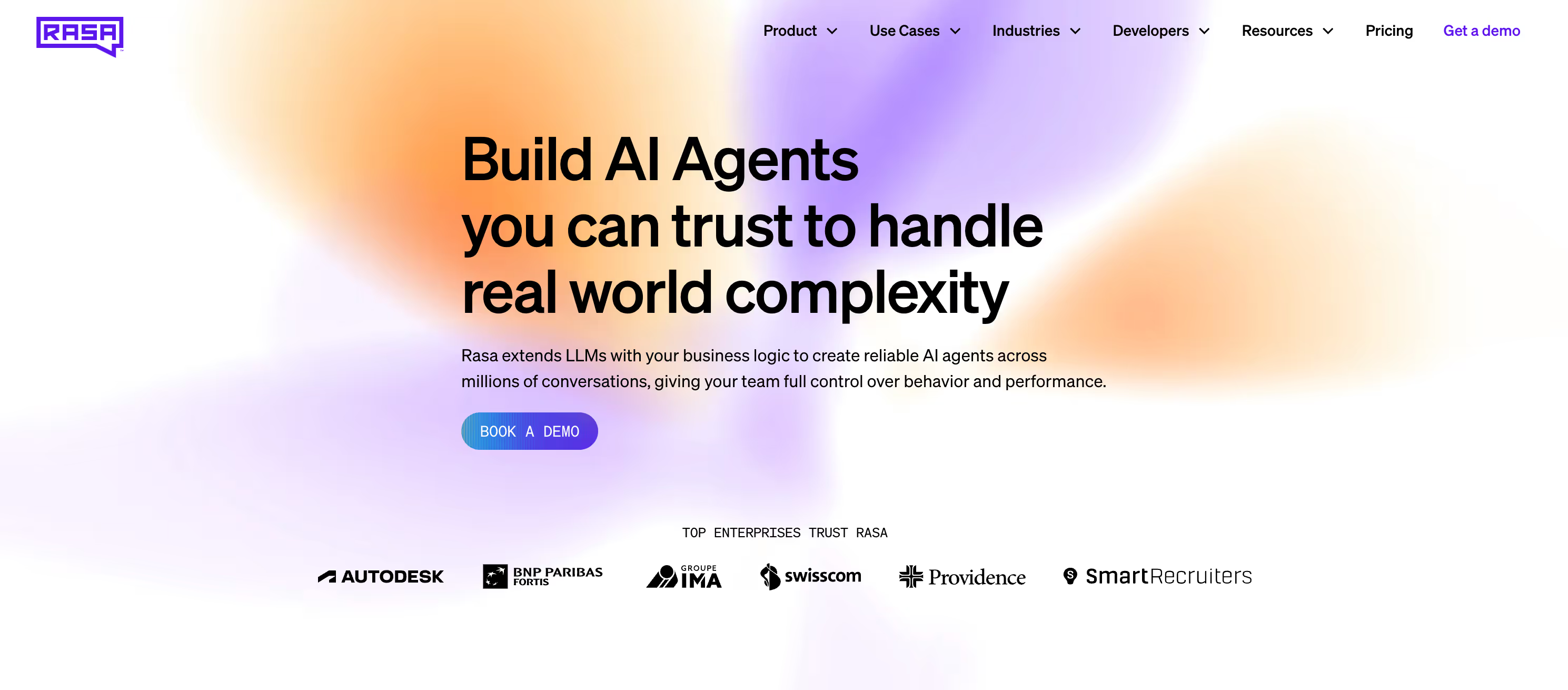
Rasa is the developer platform for enterprise AI agents. Swisscom, Deutsche Telekom, Autodesk, and Groupe IMA run Rasa in production across voice and chat.
Rasa is best for technical enterprise teams that want to build on a platform they can deploy, extend, and operate inside their own environment, instead of relying on a SaaS agent builder where the runtime, data path, and release process are managed primarily by the vendor.

Product Overview
Voiceflow is built for teams that want a hosted visual environment to design, test, and launch AI agents quickly.
Rasa is built for technical enterprise teams that need the agent platform to fit into their own infrastructure, engineering workflow, and governance model.
That distinction matters when:
- The agent needs to run in a customer-controlled environment, not only a vendor-managed cloud.
- The same platform needs to support voice and digital channels without creating separate agent stacks.
- Backend actions need to connect to real enterprise systems, policies, and release processes.
- Teams need room to start with more flexible agent behavior and add stricter controls where the use case requires it.
Rasa is different from Voiceflow in three practical ways:
- Platform ownership, not only workspace access. Voiceflow gives teams a collaborative SaaS workspace for building and managing agents. Rasa gives technical teams a platform they can deploy, extend, and operate inside their own environment, including private cloud or on-premise setups when required.
- Engineering-native extensibility. Voiceflow is strongest when teams want to move quickly inside a visual builder. Rasa is stronger when the agent has to become part of the company’s software architecture, with custom backend logic, APIs, MCP-based integrations, CI/CD, observability, and existing developer workflows.
- Control by use case, not one fixed style of automation. Rasa lets teams decide where the agent can stay flexible and where the system needs tighter rules, such as approved wording, required steps, tool boundaries, confirmations, or human handoff. This is useful for enterprises where one journey may need open-ended reasoning in one moment and strict process handling in the next.

Start Building With Rasa Today
Start with one of our templates, and we’ll help you build a banking agent, telecom agent, or starting agent.

Pricing
Rasa offers these pricing tiers:
- Developer Edition (Free): Full access to Rasa. One bot per company, up to 1,000 external conversations/month (100 for internal agents). Community support via the Rasa Forum. Designed for individual developers exploring agent projects.
- Enterprise (Custom): Custom pricing for teams deploying agents at scale. Includes access to the Rasa Platform, premium support, dedicated customer success, custom onboarding, and enterprise security and compliance support.
Pricing is based on annual conversation volume. No per-editor fees, no credit system, no agents stopping mid-conversation when credits run out.
Integrations
- Backend systems: Connect to CRMs, ERPs, ticketing systems, databases, internal APIs, and proprietary services through custom actions and API integrations.
- Voice and channels: Deploy across voice and digital channels with connectors for web, messaging, telephony, and contact-center environments, including Twilio, Jambonz, AudioCodes, and Genesys Cloud.
- Developer workflow: Work with existing engineering practices, including Git-based development, CI/CD, custom code, observability, and deployment pipelines.
- Agent ecosystem: Connect to external tools and agent systems through supported integration patterns, including MCP and A2A where available.
Setup
- Self-hosted in your environment from day one.
- On-premise and hybrid cloud options.
- Connect to existing infrastructure, backend systems, contact-center platforms, and deployment pipelines.
- Build with code-first workflows and use Studio to inspect, test, and improve agent behavior.
- Test voice agents before connecting them to production telephony.
Swisscom, Switzerland's leading telco, rebuilt its customer service agent Sam using Rasa's CALM framework. Prototype to production in 20 weeks. Doubled automation rates. Cut operational costs by 50%. Zero-shot intent recognition made development 1.6x faster.
Pros and Cons
Pros:
- Customer-controlled deployment, including private cloud and on-premise options.
- Strong fit for regulated enterprises with technical teams.
- Works across voice and digital channels.
- Connects to existing backend systems, APIs, contact-center platforms, and deployment pipelines.
- Flexible enough for autonomous agent behavior, with stricter controls where the use case requires them.
- Built for engineering workflows, including custom code, testing, observability, and CI/CD.
- Annual conversation-volume pricing, not per-editor pricing.
- Lets teams choose their models, infrastructure, and integration approach.
Cons:
- Less visual-design-first than Voiceflow.
- More operational ownership than a fully managed SaaS agent platform.
- Not the simplest option for teams that only need a lightweight no-code prototype.
Tradeoffs
- Rasa is stronger for technical enterprises that want the platform to run inside their own architecture, with more control over deployment, integrations, models, and release process.
- Voiceflow is usually the better fit for lightweight agents, prototypes, and non-technical teams.
- Rasa is usually the better fit when agents need to connect deeply into backend systems, support regulated deployment requirements, and scale across voice and digital channels without moving the operating model into a vendor-managed workspace.
Support
- Enterprise customers receive premium support, customer success support, onboarding, and implementation guidance.
- Developer Edition users can access community support through the Rasa Forum.
- Documentation and learning resources are available through Rasa docs and Rasa Learning.
- Documentation at rasa.com/docs. Learning resources at learning.rasa.com.
Mini Case Study
Groupe IMA, one of Europe's leading insurance and assistance providers serving nearly 30 million drivers, selected Rasa Voice for its roadside assistance contact center after evaluating multiple vendors. The deployment handles high-volume inbound calls with automated voice resolution.
"We're not experimenting with voice. We're deploying it. That's the difference." Loic Mayet, Information Systems Director, Groupe IMA.
See How Rasa Replaces Prototyping Limits With Production Depth
Best For Bot/Chat Development
#2. Botpress: Best Voiceflow Alternative for Developer Prototyping and Community

Botpress is a developer-friendly platform with open-source roots and an active community.
With over one million bots deployed, it’s best for development teams (10-200 employees) that need fast prototyping with a visual builder and LLM-agnostic architecture.
Product Overview
- Fully LLM-agnostic: supports OpenAI, Anthropic, Mistral, and custom models. Visual builder (Botpress Studio) with full API and ADK access.
- 190+ pre-built integrations.
- Knowledge base training and conversation analytics.
Where Voiceflow focuses on visual conversation design, Botpress adds developer depth with open-source foundations and API-first access. Teams that outgrow Voiceflow's configuration limits often evaluate Botpress for its extensibility.
Pros and Cons
Pros:
- Open-source roots with transparent architecture.
- LLM-agnostic (swap providers freely).
- 190+ integrations covering CRM, support tools, WhatsApp, Slack, and web channels.
- Self-hosted option on Enterprise tier.
- Active community and well-reviewed documentation.
- Free tier for solo developers.
Cons:
- Lacks enterprise-grade orchestration and governance at scale.
- Limited for regulated environments needing on-premise or hybrid deployment on lower tiers.
- AI token consumption billed separately.
- More suited for prototyping and mid-market than production systems handling complex multi-agent coordination.
- Limited voice capabilities.
Pricing
- Free pay-as-you-go tier for solo developers.
- Team plan at $495/month with 50,000 messages and 3 bots.
- Enterprise pricing is custom.
- AI token consumption billed separately (Botpress-managed or bring-your-own-key).
Setup
- Same-day for basic bots.
- Production deployments with custom integrations: 1-4 weeks.
- Documentation and YouTube tutorials are well-reviewed by the community.
Tradeoffs
- Gets a first bot live quickly but lacks enterprise governance and orchestration at scale.
- Self-hosted deployment only available on Enterprise tier, not lower plans.
- Better suited for prototyping and mid-market than production systems handling complex multi-agent coordination.
- Limited voice capabilities require third-party providers.
- Gaps in enterprise security, compliance, and audit features for regulated industries.
Best For Voice and Telephony
#3. Retell AI: Best Voiceflow Alternative for Developer Voice API

Retell AI is a developer-first voice AI platform with modular pricing and 30+ language support.
It’s best for engineering teams building custom voice agents from components that need more voice depth than Voiceflow provides.
Product Overview
- API and webhook support for custom call flows, call events, transfers, and backend integration.
- Supports Retell-managed numbers, imported numbers, SIP trunking, and Twilio setup.
- Knowledge base support for URLs, documents, and text snippets.
- Call analytics, transcripts, simulation testing, and post-call analysis.
Strong interruption handling and real-time voice processing at approximately 800ms latency. 30+ language support.
Pros and Cons
Pros:
- Strong developer voice API.
- Good fit for custom AI phone agents.
- Supports inbound, outbound, call transfer, SIP, and Twilio workflows.
- Knowledge base, call transcripts, analytics, and simulation testing included.
- Flexible pay-as-you-go entry point.
Cons:
- Voice-first, not a full enterprise agent platform across every channel and team workflow.
- Cloud platform; not the right fit when customer-controlled deployment is required.
- Pricing depends on selected LLM, TTS, telephony, concurrency, and add-ons.
- Requires engineering resources for deeper backend integration and production setup.
- Broader governance, release, and operating model still need to be designed around the voice agent.
Pricing
- $0.07+/min pay-as-you-go base rate.
- Additional costs for STT, TTS, and LLM providers stack on top.
- Real per-minute costs typically reach $0.13-$0.31/min depending on provider selection and volume.
Setup
Retell can be quick to start for a basic phone agent. Production setup usually depends on telephony routing, SIP or Twilio configuration, backend integrations, transfer rules, call analytics, and QA workflows.
Tradeoffs
- Maximum flexibility for developers who want to select every component, but requires engineering for every change.
- No no-code option.
- Cost predictability is low at scale due to stacking provider fees.
- Limited to voice use cases; teams needing chat, SMS, or multi-channel agents will need a separate platform.
- No self-hosted deployment.
- G2: 4.5/5.
#4. Vapi: Best Voiceflow Alternative for Low-Latency Voice Development

Vapi is a developer-centric voice platform with sub-600ms latency and flexible multi-provider support.
It’s best for engineering teams that want a voice-first API platform with low-latency streaming, provider flexibility, and more control over the voice pipeline than a general visual agent builder.
Product Overview
- Voice-first platform for inbound and outbound AI phone agents.
- Supports STT, LLM, and TTS provider choice across providers like OpenAI, Anthropic, Google, Deepgram, ElevenLabs, and others.
- Tool calling, structured outputs, server URLs, and API integrations support custom backend workflows.
- Evals support mock conversations, exact-match checks, regex, AI judges, tool-call validation, and regression testing.
Pros and Cons
Pros:
- Flexible STT, LLM, and TTS provider selection.
- Supports inbound calls, outbound calls, web voice, phone numbers, and Twilio imports.
- Squads give teams a practical pattern for multi-assistant voice workflows.
- Evals and monitoring are more mature than many lightweight voice API tools.
- Good fit for engineering teams building custom voice applications
Cons:
- Voice-first platform, not a full enterprise agent platform across every channel and operating model.
- Cloud platform; not ideal when customer-controlled deployment is required.
- Workflows/visual flow building are no longer the recommended path for new builds.
- Production cost depends on Vapi usage, model provider costs, telephony, concurrency, and compliance add-ons.
- Requires developers for serious customization, backend integrations, and production operations.
Pricing
- $0.05+/min base rate.
- Telephony, STT, TTS, and LLM costs are added on separately.
- Plans from $500/month.
- Real per-minute costs typically reach $0.13-$0.33/min when all providers are included.
Setup
- Days to weeks, depending on integration complexity and provider selection.
- Flow Studio accelerates initial setup for standard voice flows.
- Production setup depends on phone routing, provider selection, tool integration, transfer behavior, eval coverage, and monitoring.
Tradeoffs
- Fast voice performance and flexible provider selection, but complex pricing makes the total cost difficult to predict before production.
- Not suited for non-technical teams despite the visual builder.
- Cloud-only deployment.
- No self-hosted option for regulated data.
- Managing multiple vendor relationships (STT, TTS, LLM, telephony) adds operational complexity that Voiceflow's single-vendor approach avoids.
#5. Synthflow: Best Voiceflow Alternative for No-Code Voice AI

Synthflow is a no-code voice AI platform with bundled pricing that includes voice, LLM, and telephony in one rate.
It is best for teams that want voice automation without building directly against developer APIs like Vapi or Retell.
Product Overview
- No-code voice agent builder for inbound and outbound calls.
- Aurora assistant helps scaffold agents, query calls, manage knowledge, run simulations, and update agents from natural-language instructions.
- Call flow designer, knowledge base, actions, and voice configuration are built into the workspace.
- Simulation and custom evaluation workflows help teams test agents before launch.
- Execution logs, rollout controls, and rollback support help manage live agents.
- Integrations include HubSpot, Salesforce, GoHighLevel, Freshworks, Zendesk, Zapier, Make, Cal.com, Twilio, WhatsApp, ElevenLabs, Azure OpenAI, and SIP/telephony options.
Pros and Cons
Pros:
- Easier for non-technical teams than voice API platforms.
- Strong fit for appointment booking, lead qualification, support calls, and simple phone automation.
- Built-in voice agent lifecycle: build, evaluate, launch, learn.
- Good integration coverage across CRM, support, scheduling, workflow automation, and telephony tools.
- Supports bring-your-own telephony through Twilio and SIP options.
- Enterprise tier supports higher-volume voice operations.
Cons:
- Voice-first platform, not a broader enterprise agent platform across every channel and team workflow.
- Less suited for teams that need customer-controlled deployment or deep platform ownership.
- Advanced customization depends on what the no-code builder, actions, integrations, and enterprise options expose.
- Technical teams may hit limits if they need deeper runtime control, custom orchestration, or complex backend workflows.
Pricing
- $375/month (Pro) with bundled minutes.
- Enterprise pricing custom.
- $0.08/min all-in rate within plan limits.
- Overage fees of $0.12-$0.13/min apply above included minutes.
- The previously available $29 Starter plan has been removed.
Setup
Synthflow is designed for faster setup than developer voice API platforms. Teams can build in the visual workspace, connect CRM or telephony tools, test with simulations, and launch without writing a full voice stack.
Tradeoffs
- Accessible no-code voice AI with bundled pricing, but recent pricing changes (removing the Starter plan) and widely reported support issues raise questions about platform reliability.
- Voice-only: teams needing chat, email, or multi-channel support need a separate platform.
- Single-agent architecture limits complex workflow handling.
- Not suited for regulated enterprises needing self-hosted deployment or deterministic business logic.
Best For No-Code / SMBs
#6. Ringly.io: Best Voiceflow Alternative for Shopify Phone Support

Ringly.io is AI phone support purpose-built for Shopify stores.
It’s best for e-commerce teams that want to automate repetitive phone calls around order status, returns, products, inventory, and store policies
Product Overview
- Native Shopify integration with full write access for returns, exchanges, and refunds directly from the voice agent.
- 40+ languages.
- 7,000+ tool integrations via Zapier.
- No-code setup (live in minutes).
- Guaranteed 60%+ resolution rate.
Pros and Cons
Pros:
- Very focused Shopify use case.
- Good fit for repetitive WISMO, return, product, and policy calls.
- Works with existing phone numbers or Ringly-provided numbers.
- Includes call recordings, transcripts, analytics, and resolution tracking.
- Clearer pricing than many custom voice platforms.
- Pro plan includes setup help and a resolution guarantee.
Cons:
- Narrow Shopify focus.
- Not a general enterprise AI agent platform.
- Not ideal for regulated industries or customer-controlled deployment.
- Limited fit for complex multi-channel service operations outside e-commerce.
- Custom workflows depend on Shopify, supported integrations, and enterprise add-ons.
- Limited to customer support use cases.
Pricing
- Custom pricing. Contact Ringly.io for a quote.
Setup
Ringly is designed for fast Shopify setup. Teams connect Shopify, configure escalation, test calls, and route calls to the AI agent. Ringly claims many brands can go live in under an hour.
Tradeoffs
- Excellent for Shopify-only teams that want phone support without engineering.
- But the exclusive Shopify focus means teams with broader enterprise needs, multiple storefronts on different platforms, or regulated data requirements will need a different solution.
- No developer extensibility for custom workflows beyond the built-in templates.
#7. Bland AI: Best Voiceflow Alternative for High-Volume Outbound Calls

Bland AI is a programmable voice platform built for high-volume automated calls.
Bland AI is best for sales, collections, and outbound teams that need massive call throughput.
Product Overview
- API-first design with webhooks for programmatic voice agent control.
- Conversational Pathways lets teams map call flows with nodes, fixed phrases, prompts, webhooks, knowledge base access, and call-ending logic.
- Supports webhooks and API integrations for CRM, ERP, ticketing, payments, data collection, and backend actions.
- Warm transfers can pass context to human agents.
- Enterprise supports dedicated infrastructure, on-prem/VPC deployment, SSO, BAA, data residency, and higher rate limits.
- Enterprise rate limits start at 20,000 calls/hour and 100,000 calls/day by default.
- Bland publishes compliance support for SOC 2 Type II, HIPAA, GDPR, and PCI DSS.
Pros and Cons
Pros:
- Strong fit for high-volume phone automation.
- Conversational Pathways gives teams more structure than single-prompt voice agents.
- Webhooks and APIs support real backend actions during calls.
- Warm transfer and context handoff are useful for contact-center workflows.
- Enterprise supports on-prem/VPC deployment and data residency.
- Published self-serve pricing makes early cost modeling easier than fully custom-only vendors.
Cons:
- Voice-first platform, not a broad enterprise agent platform across every channel.
- Best fit is phone-heavy operations, not general conversation design.
- Production setup still requires careful telephony, compliance, testing, and integration work.
- Advanced enterprise features depend on custom enterprise agreements.
- Not the right fit for teams mainly looking for a visual chat/agent builder like Voiceflow.
Pricing
- Start: Free platform access, $0.14/min, 100 calls/day, 10 concurrent calls.
- Build: $299/month platform fee, $0.12/min, 2,000 calls/day, 50 concurrent calls.
- Scale: $499/month platform fee, $0.11/min, 5,000 calls/day, 100 concurrent calls.
- Enterprise: Custom pricing, unlimited concurrency, on-prem/VPC deployment, BAA, SSO, data residency, and dedicated support.
Setup
- Days to weeks for API integration.
- Requires engineering resources for configuration, telephony setup, and Conversational Pathways design.
Tradeoffs
- Built for raw outbound volume, not inbound customer service.
- The $150K+ annual minimum prices out smaller teams.
- Complex add-on pricing makes total cost difficult to forecast.
- Primarily suited for sales and collections use cases.
- Teams needing inbound support, multi-channel agents, or lower cost entry points should look elsewhere.
Best For AI Customer Support
#8. Decagon: Best Voiceflow Alternative for Rapid AI Support Deployment

Decagon is a managed AI customer support platform for deploying AI agents across support channels.
Decagon is best for mid-market teams that prioritize speed to first deployment.
Product Overview
- LLM-first architecture for customer support automation.
- AOPs replace traditional flow builders with natural-language configuration.
- Voice, chat, and email support are positioned as part of the broader customer support platform.
- Test-driven simulations validate behavior before deployment.
- Strong fit for support teams that want fast iteration without building the agent platform themselves.
Pros and Cons
Pros:
- Strong managed CX agent platform.
- AOPs make behavior easier for CX teams to define and update.
- Watchtower and Simulations create a useful QA and improvement loop.
- Good fit for customer support teams that want vendor-led deployment and lifecycle tooling.
Cons:
- Vendor-managed platform, not a customer-owned framework or runtime.
- Less suited for teams that need to deploy and operate the platform inside their own infrastructure.
- Customization happens inside Decagon’s operating model, not the customer’s full engineering stack.
- LLM black box limits visibility into how agents reach decisions.
- Founded in 2023 with a limited enterprise track record.
Pricing
- Custom pricing.
- Per-resolution model.
- Based on industry reports, most enterprise deployments start in the low six figures annually.
Setup
Implementation depends on support-channel scope, knowledge sources, backend integrations, AOP design, QA criteria, and rollout process.
Tradeoffs
- Fastest deployment in the category, but the vendor-packaged model means you rent the experience.
- No self-hosted deployment, which eliminates Decagon for regulated industries with data sovereignty requirements.
- Works well for narrow, defined use cases, but complexity increases when agents need to span multiple systems, teams, or channels with shared state.
- No public G2/Capterra profile with sufficient review volume.
Best For Social and Marketing
#9. ManyChat: Best Voiceflow Alternative for Social Messaging Automation

ManyChat is the leading chatbot automation platform for Messenger, Instagram, WhatsApp, and SMS.
It’s best for marketing teams automating social channel conversations, lead generation, and e-commerce promotions.
Product Overview
- Useful for marketing and commerce workflows, not enterprise agent orchestration.
- Drag-and-drop visual flow builder requires no coding.
- Contact-based pricing starting at $15/month.
- Strong e-commerce integrations with Shopify, HubSpot, and WooCommerce.
- Growth tools for lead generation across social platforms.
- Large active community with 100K+ members.
Pros and Cons
Pros:
- Strong social messaging automation product.
- Good fit for Instagram, TikTok, Messenger, and WhatsApp campaigns.
- Drag-and-drop builder (no coding).
- Affordable entry ($15/month Pro).
- Strong e-commerce integrations (Shopify, HubSpot, WooCommerce).
- Growth tools for lead generation.
- Large active community (100K+ members).
- Free tier available.
Cons:
- Primarily social messaging channels (vulnerable to platform algorithm changes).
- AI add-on costs extra ($29/month) with limited AI capabilities.
- No voice capabilities.
- Rapidly increasing costs as contacts scale ($8,000+/month at 2M contacts).
- Limited NLU compared to purpose-built conversational AI platforms.
- No on-premise deployment.
- AI capabilities are useful for campaign automation, but not comparable to an enterprise agent runtime.
Pricing
- Free tier available.
- Pro: $39/month monthly or $29/month annually, including up to 2,500 Active Contacts/month.
- Additional Active Contacts and Inbox seats cost extra.
- Costs scale with contact list size: $8,000+/month at 2M contacts.
Setup
- Same-day for basic flows.
- The drag-and-drop builder and pre-built templates for Messenger, Instagram, and WhatsApp get simple automations live in minutes.
Tradeoffs
- Excellent for social messaging automation and lead generation. But ManyChat is a marketing tool, not an enterprise conversational AI platform.
- No voice capabilities.
- No self-hosted deployment.
- AI capabilities are limited compared to purpose-built platforms.
- Contact-based pricing can escalate quickly for large audiences.
- Teams needing enterprise support automation, regulated data handling, or multi-channel agents across voice, chat, and internal systems need a fundamentally different architecture.
- G2: 4.6/5.
Why Choose Voiceflow Alternatives
Production Readiness, Not Just Prototyping
Voiceflow excels at visual design and rapid prototyping. But production deployments require orchestration, governance, observability, and reliability that prototyping tools do not provide.
Voice Architecture and Provider Choice
Voiceflow supports phone agents and voice usage, but teams with complex telephony, contact-center, latency, or provider requirements may prefer platforms built specifically around voice infrastructure or enterprise voice deployment.
Self-Hosted Deployment for Regulated Data
For lightweight agents, a hosted builder may be enough. For regulated or technical enterprise teams, the bigger question is whether the agent platform can become part of the company’s own architecture, operating model, and long-term AI strategy.
Pricing and Usage Model Fit
Voiceflow pricing includes plan fees, optional add-ons, editor seats, phone numbers, concurrent call limits, and credit-based usage across LLM, voice, and orchestration activity. Teams evaluating alternatives should model cost based on channels, call volume, model usage, collaborators, and production scale.
How To Choose the Right Alternative to Voiceflow
Step 1: Define Production vs. Prototyping Needs
If you need a visual design tool for proof-of-concept, Voiceflow or Botpress work. If you need production-grade agents with orchestration and governance, evaluate Rasa.
Step 2: Assess Voice Requirements
Need native voice with sovereign deployment? Rasa Voice. Need developer voice APIs? Retell AI or Vapi. Need no-code voice? Synthflow. Voiceflow's voice depends on external providers.
Step 3: Check Deployment Flexibility
Can your data go to a vendor's cloud? If not, Rasa (self-hosted) and Botpress (Enterprise tier) are your options.
Step 4: Map Your Pricing Model
Per-editor (Voiceflow), per-message (Botpress), per-minute (Retell AI, Vapi), and annual volume-based (Rasa) create different cost curves. Model your team size and expected volume.
Step 5: Run a Production Pilot
Build a real use case, not a demo. Track containment rate, escalation quality, and response latency under real traffic. Prototyping performance does not predict production performance.
Key Features to Look for When Exploring the Best Voiceflow Alternatives
Production-Grade Orchestration
Beyond visual flow design, production agents need multi-agent coordination with shared state, memory, and clean handoffs across channels and systems.
Native Voice (Not Bolted On)
Voice that depends on third-party telephony adds latency, cost, and failure points. Look for platforms with built-in voice channel connectors and speech provider flexibility.
Self-Hosted / Sovereign Deployment
Regulated industries need agents running in their environment. Cloud-only platforms are disqualified for financial services, healthcare, and government.
Code-Level Extensibility
Visual builders hit a ceiling. Look for platforms that let you modify core modules, write custom actions, and integrate at the framework level.
Control Where It Matters
AI agents need room to handle natural conversation, but some moments require stricter handling: approvals, policy checks, required steps, backend actions, handoffs, and exact wording.
Look for platforms that let teams choose the right level of autonomy by use case, instead of forcing every journey into either a fully scripted flow or a fully open-ended agent.
Cross-Channel Continuity
Customers switch between voice, chat, SMS, and email. The agent must carry context across every channel without the customer repeating themselves.
Transparent, Scalable Pricing
Per-editor, per-credit, and per-minute models create cost surprises. Understand total cost at 10x your current usage before committing.
Observability and Audit Trails
Trace every agent decision. Required for debugging production issues and meeting compliance requirements in regulated industries.
Cost Comparison: Voiceflow vs. Competitors
- Rasa: Developer Edition free. Enterprise custom. No per-editor fees.
- Voiceflow: Free Starter. Pro: $60/month per editor (10,000 credits). Business: $150/month per editor. Credits stop agents when exhausted.
- Botpress: Free. Team $495/month (50,000 messages, 3 bots). Enterprise custom.
- Retell AI: $0.07+/min. Add-ons for STT/TTS/LLM.
- ManyChat: Free. Pro from $15/month.
Which of the Alternatives to Voiceflow Is Right for Your Business?
- Need enterprise production agents: Rasa. Self-hosted, multi-agent orchestration, native voice, code-level control.
- Need developer prototyping with community: Botpress. Open-source roots, visual builder, 190+ integrations.
- Need developer voice APIs: Retell AI or Vapi. Flexible provider selection, pay-per-minute.
- Need no-code voice: Synthflow. All-in pricing, no developer required.
- Need social/marketing automation: ManyChat. Messenger, Instagram, WhatsApp.
- Need e-commerce phone support: Ringly.io for Shopify.
Best Voiceflow Alternatives for Large Companies That Need Full Platform Control
Voiceflow is strong when teams want an accessible hosted workspace for designing, testing, and launching agents. Larger enterprises may need a different model when the agent platform has to fit into their own architecture, security process, deployment model, and engineering workflow.
Rasa gives technical teams a platform they can run, extend, and operate inside their own environment. Teams can connect agents to backend systems, customize behavior through code, work with their existing models and infrastructure, and manage changes through their own testing and release process.
Botpress is also a strong developer-friendly option, especially for teams that want a hosted visual builder with API and SDK access. Rasa is the better fit when the priority is deeper platform ownership, customer-controlled deployment, and long-term operation across complex enterprise systems.
Best Voiceflow Alternatives for Regulated Industries Like Banking and Healthcare
Regulated teams need more than a builder that helps them launch an agent. They need a platform that can pass security review, fit existing infrastructure, support audit needs, and give technical teams a clear way to manage changes over time.
Rasa is built for that kind of environment. Teams can run the platform in their own infrastructure, connect it to internal systems, choose their model and deployment setup, and keep the agent lifecycle aligned with existing engineering, security, and release processes.
Voiceflow may still be a good fit for teams that want a hosted workspace for agent design and faster iteration. Rasa is the stronger fit when deployment ownership, system integration, auditability, and long-term operation are part of the buying decision.
FAQs
Which Voiceflow alternative is the best for daily AI voice conversations?
Rasa Voice for enterprise-grade voice with sovereign deployment and cross-channel continuity. Vapi for developer-centric low-latency voice. Synthflow for no-code voice AI.
Voiceflow's voice depends on third-party providers.
Which Voiceflow alternative is the best AI voice generator?
For pure voice generation, look at voice-first platforms like Bland AI, Retell AI, or Vapi.
Rasa is a better fit when text-to-speech is part of a larger enterprise voice agent. Rasa supports TTS integrations with Azure Speech, Cartesia, Deepgram, and Rime, and teams can also build custom TTS integrations when they need another provider.
What is the difference between Tidio and Voiceflow?
Tidio is an SMB chatbot with live chat and basic AI (Lyro), priced from $24/month.
Voiceflow is a visual conversation design tool for teams building more complex agents.
Tidio is simpler and cheaper. Voiceflow offers deeper design capabilities but hits production limits at scale.
Can Voiceflow alternatives be customized to suit any business needs?
Yes, but customization depth varies. Rasa is the strongest fit when teams need code-level extensibility, custom backend logic, and control over deployment and integration patterns.
Botpress offers a hosted builder with API and ADK access. Retell AI and Vapi support programmatic voice-agent configuration. No-code tools like Synthflow and ManyChat are easier to start, but customization depends more on the builder, actions, integrations, and plan limits.
Do Voiceflow alternatives ensure data security and compliance?
Yes, but the model varies. Rasa is the strongest fit when teams need to run the platform in their own environment and align agent deployment with existing security, compliance, and data-residency requirements.
Cloud platforms like Voiceflow, Botpress, Vapi, Synthflow, ManyChat, and Decagon handle security through their hosted platform controls, compliance programs, and enterprise agreements. Teams should check data retention, model usage, hosting region, audit access, and vendor access before choosing.
Which Voiceflow alternatives can integrate with existing systems and tools?
Rasa integrates through custom actions, APIs, channel connectors, and emerging agent integration patterns like MCP and A2A.
Botpress offers a hosted integration hub and developer tooling for custom integrations. ManyChat connects deeply into social and commerce channels. Retell AI and Vapi integrate through APIs, webhooks, telephony, and voice-agent tooling. Synthflow offers no-code actions and integrations for CRM, scheduling, support, and workflow tools.
What are the biggest limitations of Voiceflow that lead teams to evaluate alternatives?
Prototyping strength but production fragility. Voice depends on third-party providers. Per-editor pricing penalizes teamwork. Credit exhaustion stops agents mid-conversation. No self-hosted deployment. Limited code-level control. Basic analytics insufficient for enterprise observability.
Can Voiceflow alternatives be deployed on-premise or in a private cloud?
Yes, but only some. Rasa supports customer-controlled deployment, including private cloud and on-premise setups. Bland AI also offers on-prem/VPC deployment on Enterprise. Most others in this list are primarily hosted SaaS platforms. Botpress self-hosted versions are no longer available for new deployments.
Which Voiceflow alternatives offer production-grade voice natively?
Retell AI, Vapi, Synthflow, and Bland AI are voice-first platforms. Rasa is strongest when voice needs to be part of a broader enterprise agent platform, with support for voice connectors such as Twilio, Jambonz, AudioCodes, and Genesys Cloud. Voiceflow also supports phone agents, while Botpress is less voice-first.
How do Voiceflow alternatives handle hallucination prevention in regulated industries?
Different platforms use different controls: scoped tools, structured workflows, output checks, simulations, QA review, and human handoff. Rasa’s advantage is that teams can decide where the agent can stay flexible and where stricter controls are required, such as tool boundaries, required steps, approved wording, backend actions, or escalation rules.
What's the difference between a no-code visual builder like Voiceflow and a developer-first platform?
No-code builders prioritize speed and accessibility inside a hosted visual workspace. Developer-first platforms like Rasa are built for technical teams that want the agent platform to fit their own architecture, codebase, integrations, deployment process, and release workflow. The tradeoff is simpler setup versus deeper ownership.
Can Voiceflow alternatives integrate with an existing contact center stack?
Yes, but integration depth varies. Rasa supports voice connectors for Twilio, Jambonz, AudioCodes, and Genesys Cloud, plus backend integrations through custom actions, APIs, and MCP where available. Voice-first platforms like Retell AI, Vapi, Bland AI, and Synthflow integrate through APIs, telephony setup, webhooks, and supported contact-center or CRM connections.
Which Voiceflow alternatives support multi-agent orchestration?
It depends what you mean by multi-agent. Rasa is the strongest fit when teams need to coordinate agents, tools, handoffs, memory, and backend actions inside a broader enterprise platform. Vapi offers Squads for multi-assistant voice workflows. Decagon focuses more on managed support workflows and lifecycle tooling. Most other vendors in this list are better understood as single-agent or channel-specific platforms.
Can AI agents built on Voiceflow alternatives be audited after an incident?
Yes, but the depth varies. Rasa is designed for teams that need traceable behavior, event history, observability, and a clear release process when something goes wrong. Other platforms may provide transcripts, logs, traces, QA dashboards, or call recordings, but buyers should check how much of the agent decision path is actually visible.
Which Voiceflow alternatives are best suited for financial services?
Rasa is a strong fit for financial services teams that need customer-controlled deployment, auditability, backend system integration, and tighter controls for high-risk actions like payments, account changes, identity checks, and handoffs.
Which Voiceflow alternatives are best suited for healthcare?
Rasa is a strong fit for healthcare teams that need to align AI agents with existing security, compliance, infrastructure, and review processes. For clinical or sensitive workflows, the key requirement is not just the chatbot UI, but how the platform manages data, integrations, approvals, escalation, and auditability.
Which Voiceflow alternatives are best suited for telecom?
Rasa is a strong fit for telecom teams running complex service journeys across voice and digital channels. Swisscom and Deutsche Telekom use Rasa in production, and Rasa supports enterprise voice deployments through connectors for contact-center and telephony environments.