Teams evaluating an AI customer service platform ask the same three questions: can we self-host, can our team own it, and what does it actually cost? Here's how Rasa compares on the dimensions that decide enterprise deals

Dialogflow CX






Two platforms, two opposite philosophies
Google’s managed conversational AI platform. Strong fit for teams already on Google Cloud that want visual flows, Playbooks, built-in NLU, text and voice support, and native contact center integrations without owning the runtime.

Rasa is an enterprise conversational AI platform built on a self-hosted, developer-owned architecture. Patented dialogue management (CALM) delivers guided governance: business logic controls high-risk actions through explicit policies, regardless of LLM output. Native voice (Twilio, AudioCodes, Genesys), 100% on-prem or private cloud, transparent conversation-volume pricing. Customers include N26, Deutsche Telekom, Helvetia, Autodesk.
One platform for voice and chat, running in your environment
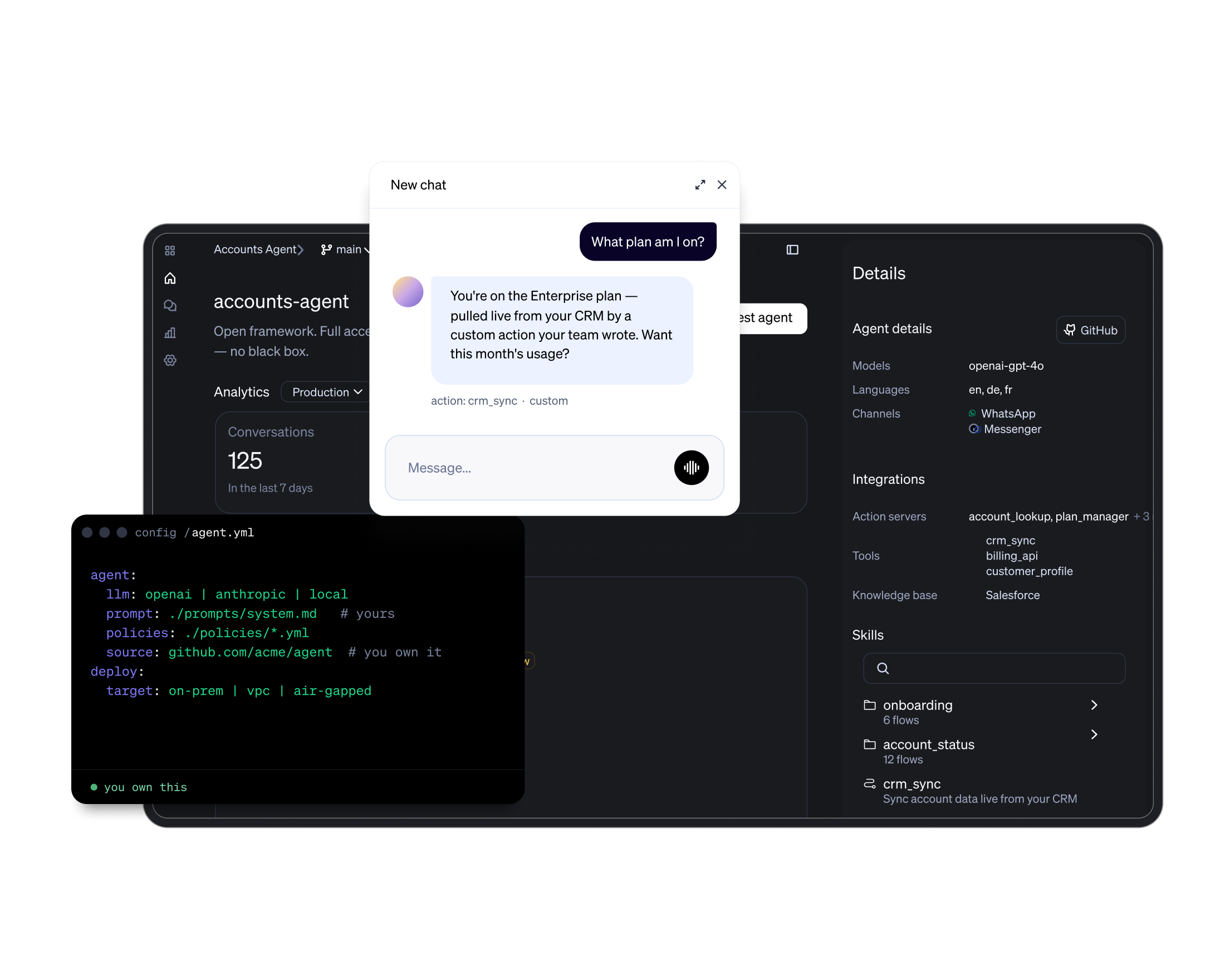
Rasa runs the same guided-governance engine across phone and chat, fully self-hosted. Your team configures flows, policies, and integrations directly, with no managed-service dependency.
- Native voice over Twilio, AudioCodes, and Genesys, sharing context with chat.
- Explicit policies control high-risk actions on regulated workflows, regardless of LLM output.
- Deploy on-prem, in private cloud, or air-gapped, with no customer data leaving your perimeter.
Side-by-side on the dimensions that decide enterprise deals
Our methodology
This comparison draws on user reviews from G2, Capterra, TrustRadius, and GetApp, combined with vendor documentation, published pricing, and enterprise buyer interviews. We review product documentation, pricing pages, and feature releases directly, and cross-reference reviews for real-world deployment patterns and common friction points, with a focus on regulated industries (banking, healthcare, telco, insurance) where deployment flexibility and governance architecture are hard gates.
Conflict of interest disclosure: This comparison is published on Rasa's website. Rasa is a commercial conversational AI platform and stands to benefit from enterprises choosing its platform. We address this by (1) publishing genuine competitor strengths, (2) using factual vendor documentation as primary evidence, and (3) maintaining a monthly review cadence.
This page is reviewed monthly. Last comprehensive review: July 2026.
The dimensions, side by side
Primary Philosophy and Positioning
Dialogflow is built around Google’s managed conversation stack. It gives teams a visual way to design structured conversations, add generative Playbooks, use Google-hosted models, and connect into Google Cloud and CCAI. Good fit when the team wants the platform to stay inside the Google operating model.
Rasa is built around enterprise ownership of the conversation system. The Orchestrator tracks state, context, memory, repairs, handoffs, and skills across the live conversation. Developers own the logic and deployment. Business teams review what happened in production. Good fit when the agent needs to become part of the company’s own software and service operation.
Dialogflow CX
| Rasa
|
Autodesk expects to handle 200 million user conversations by 2026 on Rasa. N26 uses Rasa for regulated banking. Deutsche Telekom resolves 50% of IT inquiries autonomously.
Deployment Model and Data Sovereignty
Dialogflow runs as a managed Google Cloud service. Teams choose a Google Cloud region for the agent, and Google keeps data at rest in that location. That works well for GCP-standardized teams, but the runtime, service boundary, and data controls remain inside Google’s cloud model.
Rasa runs in the customer’s environment. Teams deploy it on Kubernetes/OpenShift, connect their own storage, control where conversation history lives, and decide which cloud, model, ASR/TTS, and integration providers are allowed to touch data.
Dialogflow CX
| Rasa
|
Swisscom deployed Rasa from prototype to production in 20 weeks, doubling automation rates and cutting operational costs by 50%. The platform runs in Swisscom's own environment.
NLU Capabilities and Customization
Dialogflow gives teams a managed Google conversation builder: intents, entities, pages, forms, flows, Playbooks, and webhooks. It is strong when the conversation fits a visual design model and Google-hosted runtime.
Rasa gives teams a code-first conversation system. Teams can define skills, custom actions, connectors, model behavior, response logic, memory, and backend integrations directly. It is stronger when the agent needs to handle business-specific logic, custom infrastructure, and long-term change without staying inside a vendor’s design surface.
Dialogflow CX
| Rasa
|
Security, Privacy, and Compliance
Both platforms can meet enterprise security requirements. The difference is the control boundary. Dialogflow gives teams Google Cloud’s compliance program and security controls. Rasa gives teams the option to run the agent, conversation state, logs, integrations, and model/provider choices inside their own environment.
Dialogflow CX
| Rasa
|
Developer Experience and the Orchestrator Architecture
Dialogflow is strongest for teams that want to build inside a visual console. Designers can model flows, pages, routes, forms, intents, Playbooks, tools, and environments without starting in code.Rasa is strongest for teams that want the agent to behave like a software project. The source of truth lives in files and code, so engineers can use Git, CI/CD, test pipelines, custom actions, model configuration, and deployment workflows they already know. Studio then gives non-engineers a review surface for production conversations, response content, tagging, and issue discovery.
Dialogflow CX
| Rasa
|
Integration Ecosystem
Dialogflow is strongest when the integration path stays close to Google Cloud, supported channels, partner telephony, and webhook-based backend calls.
Rasa is strongest when the integration layer is part of the product architecture: custom actions, MCP tools, voice connectors, internal APIs, databases, CRM/ITSM systems, and customer-owned backend logic.
Dialogflow CX
| Rasa
|
Pricing and Commercial Model
Pricing models diverge in structure as well as magnitude. Dialogflow CX uses transparent per-session pricing that becomes unpredictable at volume. Rasa uses a free Developer Edition plus custom Enterprise licensing based on annual conversation volume, with no per-session charges.
Dialogflow CX
| Rasa
|
Customer Success and Support
Dialogflow support is Google Cloud support. That means strong documentation, large community coverage, and formal support tiers, but support is organized around the Google Cloud product stack.
Rasa support is closer to the agent program itself. Enterprise customers get support around architecture, implementation, deployment, optimization, and ongoing agent performance.
Dialogflow CX
| Rasa
|
Which platform wins for your use case
Dialogflow CX
- You want Google to run the platform.
- Your contact center stack is already Google-aligned.
- Your use cases fit flows, Playbooks, tools, and webhooks.
- Your team does not need self-hosting or deep runtime control.
Rasa
- You want to run the platform yourself.
- Your agent needs to connect deeply into internal systems.
- You need stronger control over state, data, models, and release workflows.
- Your use cases are too custom for a mostly visual platform.
- Your service operation needs the agent to keep improving after launch without becoming locked into one cloud model.
More Conversational AI Comparisons
Common questions
What is the main difference between Rasa and Dialogflow CX?
Dialogflow is a managed Google platform for building conversational agents with flows, Playbooks, Google-hosted models, and native Google Cloud/contact center integrations.
Rasa is a customer-operated platform for teams that want the agent to run in their own environment, connect deeply to internal systems, preserve conversation state, and change through normal engineering workflows.
Does Dialogflow CX support on-premises deployment?
No. Dialogflow CX is cloud-only and runs exclusively on Google Cloud infrastructure. There is no self-hosted, on-premises, or air-gapped deployment option. Organizations that need on-premises deployment for regulatory, data sovereignty, or security reasons evaluate alternatives. Rasa deploys self-hosted from day one via Docker and Kubernetes.
How does Rasa pricing compare to Dialogflow CX?
Different models. Google prices Flows and Playbooks by chat request/count, and voice by audio seconds. Hybrid agents can also change the billing mix depending on whether a turn uses Flows, Playbooks, data stores, generators, or generative fallback.
Rasa Developer Edition is free with usage limits. Rasa Enterprise is custom-priced for larger deployments, support needs, and enterprise requirements.
Which is better for regulated industries, Rasa or Dialogflow CX?
Rasa is stronger when the requirement is not just certification, but infrastructure control: where the agent runs, where conversation state is stored, which model providers are used, and how internal systems are accessed.
Can Rasa and Dialogflow CX both handle voice and chat?
Yes, both handle voice and chat.
Rasa Voice brings the same orchestration logic to voice with built-in Voice Stream connectors for Twilio Media Streams, Jambonz, AudioCodes, and Genesys Cloud. Choose your own ASR and TTS.
Dialogflow CX offers voice through Contact Center AI (CCAI).
Rasa voice is self-hostable with voice-digital parity; Dialogflow CX voice runs in Google Cloud.
What is the Rasa Orchestrator and how does it differ from Dialogflow CX flows?
Rasa’s Orchestrator is the runtime layer that keeps the conversation coherent across turns. It tracks context, state, active work, memory, repair patterns, skills, tools, and handoffs.
Dialogflow CX uses intent-classification plus state-machine flows, with Playbooks adding generative AI.
How long does a migration from Dialogflow CX to Rasa typically take?
Rasa provides migration guidance and tools for Dialogflow assistant assets.
Simple FAQ bots migrate faster. Complex enterprise agents with dozens of flows and custom webhook integrations take longer.
Which platform is easier to implement, Rasa or Dialogflow CX?
Dialogflow CX is easier for first-time implementations with structured conversation flows and teams already on Google Cloud.
Rasa requires a builder mindset: Python developers and conversational AI architecture knowledge.
However, Rasa Studio lets non-technical team members (conversation designers, IT SMEs) design and review without touching code. The ease-of-implementation advantage reverses at scale: Rasa's code-level extensibility avoids the ceilings teams hit with visual flow builders for complex enterprise business logic.
Does Dialogflow CX offer HIPAA compliance?
Yes, with caveats. Dialogflow CX is HIPAA-eligible via the Google Cloud Healthcare API with a signed Business Associate Agreement (BAA).
Conversation data is processed in Google Cloud. Organizations that need PHI to stay inside their own infrastructure cannot satisfy that requirement with Dialogflow CX.
Rasa self-hosted keeps PHI entirely within the customer's environment.
How does Dialogflow CX session pricing scale at enterprise conversation volume?
Dialogflow pricing scales with usage.
Flows and Playbooks have different chat request rates, voice is billed by audio seconds, and hybrid agents can create different billing patterns depending on which features are used during each turn.
At a larger scale, teams should model real journey behavior: number of turns, voice duration, Playbook usage, data store usage, and fallback behavior.
Can I migrate existing Dialogflow CX agents to Rasa?
Yes. Rasa provides guidance and migration tooling for Dialogflow assistant assets including intents, entities, and training phrases.
Custom webhook logic moves into Rasa Action Server implementations. Flows are rebuilt as composable, reusable skills within the Orchestrator, typically improving maintainability.
Teams find the migration investment pays back in deployment flexibility, voice-digital parity, and pricing predictability.
Is Rasa free to use?
Rasa Developer Edition is free with full platform access. One bot per company, up to 1,000 external conversations per month (100 for internal agents). Community support via the Rasa Forum.
Enterprise deployments use paid Rasa plans with platform access, premium support, enterprise security features, Studio, deployment support, and customer success support.
AI that adapts to your business, not the other way around
See Rasa in your environment
Run Rasa self-hosted with native voice, guided governance, and transparent pricing. Talk to our team about your conversational AI roadmap.